Unity has officially revealed Unity 7, the next major generation of its game engine and authoring platform.
Rather than simply adding another collection of Editor features, Unity 7 focuses on some of the biggest pain points developers face during production: slow iteration, increasingly complex pipelines, collaboration across different roles, modern .NET support, and delivering high-quality graphics across a wide range of hardware.
Some of the headline changes are significant.
Unity is moving toward CoreCLR, near-instant Play Mode, dramatically faster shader compilation, deeper support for coding agents, new production APIs and command-line workflows, improved real-time lighting, and a graphics strategy designed to scale more effectively across devices.
Perhaps most importantly, Unity says developers should not expect the traditional disruptive major-version migration.
Unity 7 is the next generation of Unity, scheduled for Q1 2027, with major improvements to iteration speed, CoreCLR, graphics, collaboration, and AI-assisted workflows while continuing the architecture established by Unity 6.
So, what is actually new in Unity 7?
Let’s look at the confirmed features, what they mean for developers, and what you should know before the release.
What Is Unity 7?
Unity 7 is the next major generation of the Unity Editor and runtime, designed around faster development, modernized engine foundations, improved graphics, broader collaboration, and integration with coding agents.
Unity officially unveiled its Unity 7 roadmap at Unite Seoul in July 2026.
The announcement focuses on five major pillars:
- Faster creation
- An open and collaborative ecosystem
- Improved graphics
- Smarter growth and monetization tools
- No traditional breaking transition from Unity 6
For developers, the most interesting changes are happening underneath the Editor as well as inside it.
Unity is modernizing fundamental parts of the engine rather than treating Unity 7 as a completely separate architecture.
Unity 7 Release Date
Unity has confirmed that the full release of Unity 7 is planned for Q1 2027.
Before that happens, Unity plans to begin early beta testing in December 2026.
That gives us the following timeline:
| Unity 7 Milestone | Expected Date |
|---|---|
| Official roadmap announcement | July 2026 |
| Early beta testing | December 2026 |
| Full Unity 7 release | Q1 2027 |
Because Unity 7 is still in development, individual features and timelines can change before the production release.
Therefore, developers should treat roadmap features as upcoming technology rather than production-ready functionality today.
What’s New in Unity 7 at a Glance?
Here are some of the biggest changes Unity has announced so far:
- CoreCLR-based modernized runtime
- Near-instant Play Mode
- Smarter domain reloads
- Shader builds up to 90% faster
- New Unity CLI
- Public APIs for production workflows
- Coding-agent integration
- Free-to-use MCP connectivity
- Surface Cache Global Illumination
- AI-assisted graphics optimization
- Graphics designed to scale across devices
- Expanded production-pipeline collaboration
- No traditional breaking migration from Unity 6
Several of these changes could significantly affect everyday development rather than simply adding specialized features.
Let’s examine them individually.
1. CoreCLR Is One of Unity 7’s Biggest Changes
One of the most important technical changes behind Unity 7 is CoreCLR.
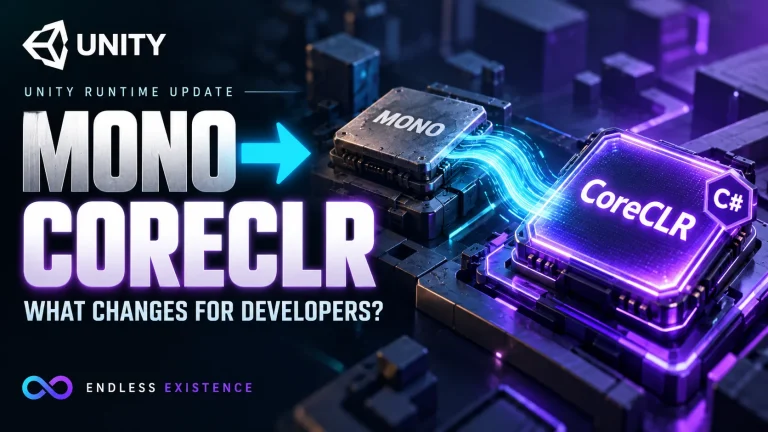
CoreCLR is the runtime used by modern .NET. Unity has been working toward modernizing its .NET foundations, and Unity 7 places this work at the center of its faster-development strategy.
Why does this matter?
Because the runtime sits underneath a huge amount of the work developers perform inside Unity.
Unity says the modernized core will help accelerate the development pipeline rather than simply providing new C# features.
For developers, this is potentially much more important than another Editor window or rendering effect.
A faster underlying development environment affects the work you perform every day.
2. Near-Instant Play Mode
Waiting for Unity to enter Play Mode may only take seconds, but those seconds accumulate.
Consider how frequently a developer repeats this cycle:
- Change some code.
- Return to Unity.
- Wait for compilation or reload.
- Enter Play Mode.
- Test the change.
- Stop.
- Repeat.
During an entire development session, small delays can interrupt concentration hundreds of times.
Unity 7 is designed to introduce a near-instant Play Mode experience.
This is part of Unity’s larger focus on reducing iteration time.
For programmers, designers, and technical artists, this could become one of the most noticeable quality-of-life improvements in Unity 7.
3. Smarter Domain Reloads
Domain reloads have traditionally been another source of iteration time in Unity projects.
Unity 7’s roadmap describes a smarter approach where domain reloads can focus on the code that actually changed.
The goal is straightforward: avoid unnecessarily reprocessing parts of the project that were not affected by the developer’s change.
This fits into the same broader philosophy as near-instant Play Mode.
Unity 7 is trying to reduce the delay between:
making a change → seeing the result.
That is especially important in larger projects where compilation and reload times can become a significant development cost.
4. Shader Builds Up to 90% Faster
Shader compilation can become painful in graphically complex Unity projects.
According to Unity’s Unity 7 announcement, shader builds are targeted to be up to 90% faster.
The words “up to” matter here.
This does not mean every Unity project will suddenly compile every shader 90% faster. Actual improvements will depend on the project and workload.
Nevertheless, shader build performance is clearly one of the areas Unity is targeting aggressively.
Combined with CoreCLR, smarter reloads, and faster Play Mode entry, the broader objective becomes clear:
Unity wants developers to spend less time waiting and more time iterating.
5. Unity 7 Is Being Designed for Coding Agents
AI-assisted development is another major part of Unity 7’s direction.
However, Unity’s vision goes beyond putting a chatbot inside the Editor.
Unity describes Unity 7 as a platform where developers, artists, producers, and coding agents can contribute across the development lifecycle.
One part of this strategy is connectivity.
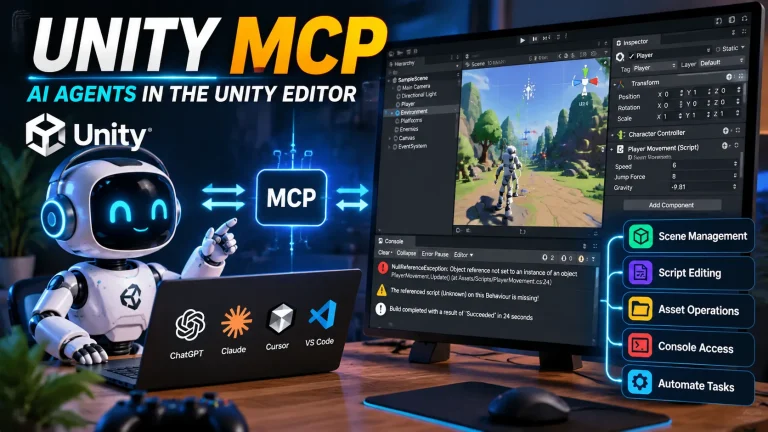
Unity plans to provide a free-to-use MCP connection that can connect coding agents directly with Unity.
This could allow compatible AI development tools to interact with Unity workflows in a more structured way.
Potential workflows could include tasks around project inspection, automation, validation, or development assistance, depending on the APIs and capabilities Unity ultimately exposes.
However, developers should distinguish between the confirmed platform direction and specific AI workflows that may evolve before Unity 7 ships.
6. A New Unity CLI and Public API
Unity 7’s collaboration strategy is not limited to AI.
Unity has announced a new CLI and public API designed to allow more development tasks to happen without requiring everyone to work directly through the full Unity Editor.
That could be especially valuable for larger teams.
For example, production pipelines often involve:
- Programmers
- Artists
- Technical artists
- Designers
- Producers
- QA
- Build engineers
- External partners
- Automation systems
Not everyone needs the same Editor workflow.
Unity’s broader production-pipeline initiative aims to provide access through the Unity CLI, APIs, web-based workflows, and other tools. Unity says the Editor itself is not being replaced.
Instead, the goal is to make Unity projects more accessible to the entire production pipeline.
7. Better Collaboration Outside the Unity Editor
Traditionally, many Unity workflows revolve around opening the project inside the Editor.
Unity 7 is pushing toward a more open production model.
Artists and producers, for example, may not need to interact with source control or project infrastructure in exactly the same way as programmers.
Meanwhile, automated tools and agents need programmatic access rather than traditional UI interaction.
Unity’s new production-pipeline direction is intended to let different roles interact with the same production through tools appropriate to their work.
For small indie teams, some of this infrastructure may be unnecessary.
For larger studios, however, easier collaboration and automation could be a major improvement.
8. Major Graphics Improvements
Unity 7 also represents a significant step in Unity’s graphics roadmap.
Unity describes the goal as delivering high-end visuals across devices, with rendering technology designed to scale from powerful PCs down to lower-powered platforms.
One of the most notable announced technologies is Surface Cache GI.
9. Surface Cache Global Illumination
Unity has announced Surface Cache GI, a real-time global illumination technology intended to produce richer and more realistic lighting.
Global illumination attempts to account for indirect lighting.
In a real environment, light does not simply travel directly from a light source to an object and stop. Light also interacts with surfaces and contributes indirectly to the appearance of the surrounding environment.
Real-time GI can therefore make dynamic scenes feel considerably more natural.
For game developers, the important part of Unity’s roadmap is scalability.
Unity wants its newer lighting technology to work across a broader range of hardware rather than limiting advanced dynamic lighting to only the highest-end targets.
10. Neural Upscaling and AI-Assisted Graphics
Another interesting part of Unity 7’s graphics strategy is neural upscaling.
Unity’s official Unity 7 page describes a graphics direction built around delivering high-end visuals across devices with neural upscaling.
The basic idea behind upscaling is familiar.
Instead of rendering every frame entirely at the final display resolution, a game can render at a lower internal resolution and reconstruct a higher-resolution image.
This can reduce GPU workload while preserving visual quality.
Unity 6 already introduced technologies such as Spatial-Temporal Post-Processing (STP), a cross-platform temporal upscaler. Unity 7’s roadmap indicates that Unity intends to push this graphics-scaling philosophy further.
11. Unity Is Simplifying Its Rendering Direction
There is another important graphics change happening around Unity 7.
Unity has acknowledged that having fragmented rendering choices creates complexity for developers.
As part of its 2026 rendering strategy, Unity is placing significantly more emphasis on URP.
Unity says it is:
- Advancing URP aggressively
- Maintaining HDRP primarily around stability and platform reach
- Beginning the Built-In Render Pipeline deprecation process in Unity 6.5
Unity specifically recommends URP for new projects rather than the Built-In Render Pipeline.
This does not mean HDRP suddenly disappears.
However, Unity’s long-term graphics direction is clearly moving toward reducing fragmentation.
For developers starting a new project today, that makes URP increasingly important.
12. Built-In Render Pipeline Is Being Deprecated
This deserves special attention for developers maintaining older Unity projects.
Unity has announced that the Built-In Render Pipeline begins its official deprecation process with Unity 6.5.
Deprecation does not mean immediate removal.
Unity says Built-In will remain available through at least Unity 6.7 LTS, while the final removal version has not yet been decided.
Therefore, existing games do not need to panic.
For new projects, however, Unity explicitly recommends using URP.
This change is technically part of Unity’s broader 2026 graphics strategy rather than a feature that suddenly begins with Unity 7. Nevertheless, it is important context for understanding where Unity 7’s rendering architecture is heading.
13. Unity 7 Will Not Require a Traditional Breaking Upgrade
This may be one of the most reassuring parts of the Unity 7 announcement.
Moving between major engine generations can be intimidating.
A major upgrade can potentially create problems with:
- Packages
- Plugins
- Custom shaders
- Editor tools
- Third-party assets
- APIs
- Platform integrations
Unity says Unity 7 will be a direct continuation of the Unity 6 architecture rather than a traditional breaking transition.
The company’s Unity 7 page states that work created in Unity 6 can move forward to Unity 7.
That does not mean developers should stop using version control, backups, staging branches, or testing before an engine upgrade.
Real production projects depend on far more than the core engine.
Third-party packages and custom tooling still need to be validated.
However, Unity is explicitly designing Unity 7 to avoid the type of major architectural break developers might normally expect from a new major version.
Unity 7 vs. Unity 6
Unity 7 is better understood as an evolution of Unity 6 than as a replacement built from scratch.
| Area | Unity 6 | Unity 7 Direction |
|---|---|---|
| Engine foundation | Current Unity 6 architecture | Modernized CoreCLR foundation |
| Play Mode | Existing iteration workflow | Near-instant Play Mode target |
| Domain reload | Existing reload workflow | Reload only relevant changed code |
| Shader builds | Current pipeline | Up to 90% faster target |
| AI workflows | AI tools evolving | Coding agents integrated into broader workflow |
| External tooling | Existing automation | New CLI and public APIs |
| Graphics | URP/HDRP improvements | Broader scalable graphics strategy |
| Global illumination | Current lighting systems | Surface Cache GI |
| Migration | Current Unity 6 releases | Designed as continuation of Unity 6 |
The most important takeaway is that Unity 7 is not throwing away everything Unity has built with Unity 6.
Many of the foundations are being developed progressively.
Should You Wait for Unity 7 Before Starting a Game?
For most developers, no.
If you want to start developing a game now, waiting until 2027 simply because Unity 7 is coming usually does not make sense.
Unity 7 is explicitly being designed as a continuation of Unity 6.
Therefore, experience gained with:
- C#
- GameObjects
- Components
- Prefabs
- ScriptableObjects
- URP
- Physics
- Animation
- UI
- Unity’s general workflow
will remain relevant.
More importantly, Unity recommends moving forward with its current Unity 6 releases rather than treating Unity 7 as a completely separate future engine.
For a production project, however, engine-version decisions should still consider stability, package compatibility, platform requirements, and your expected shipping date.
Should Existing Unity Developers Upgrade to Unity 7?
There is no reason to make that decision yet.
Unity 7 has not reached its full production release.
When it becomes available, developers should evaluate:
- Project stability
- Package compatibility
- Asset Store dependencies
- Custom Editor tools
- Rendering compatibility
- Platform support
- Performance
- Build pipeline compatibility
For an active production game, never upgrade the only copy of your project simply because a new engine version becomes available.
Use source control and test the upgrade separately.
The promised compatibility with Unity 6 makes Unity 7 particularly interesting, but real projects still need project-specific validation.
How Should Developers Prepare for Unity 7?
You do not need to rebuild your project architecture in anticipation of Unity 7.
However, several practical decisions make sense today.
Use a Current Unity 6 Release
Unity 7 builds on the Unity 6 architecture.
Staying reasonably current should make the eventual transition more predictable than remaining on a much older Unity generation.
Prefer URP for New Projects
Unity is explicitly focusing its graphics investment on URP and recommends it for new projects as Built-In begins deprecation.
Therefore, new developers should think carefully before beginning a long-term project with Built-In.
Keep Third-Party Packages Organized
Know which parts of your project depend on external assets and packages.
When Unity 7 arrives, these dependencies may need individual compatibility checks.
Use Version Control
Engine upgrades should always be reversible.
Git or another version-control system allows you to test upgrades without risking the stable version of your project.
Avoid Premature Migration
Do not attempt to reproduce unreleased Unity 7 architecture based on roadmap descriptions.
Wait for official documentation and production-ready tooling.
What We Still Don’t Know About Unity 7
Unity has revealed a substantial roadmap, but Unity 7 is still under development.
As a result, developers should avoid treating every preview or roadmap concept as finalized.
Important details may still evolve around:
- Exact feature availability at launch
- Final APIs
- Package compatibility
- Performance across different project types
- Platform-specific limitations
- Production readiness of individual features
- Final workflows for AI agents and external tooling
This distinction matters.
A roadmap describes where a product is heading. It is not identical to final release documentation.
We’ll know much more once Unity 7 enters beta testing and developers can evaluate the actual release.
Is Unity 7 a Big Upgrade?
Technically, yes—but perhaps not in the way developers traditionally think about major engine releases.
Unity 7’s most important improvements are not necessarily flashy Editor features.
Instead, many changes target the foundation of development itself:
faster iteration, modernized runtime technology, scalable graphics, automation, collaboration, and better access for external tools and coding agents.
That could make Unity 7 especially significant for developers who spend hours every day working inside the engine.
Saving a few seconds once is insignificant.
Saving those seconds hundreds of times during every development session is not.
Frequently Asked Questions
What Is Unity 7?
Unity 7 is the next major generation of the Unity game engine and authoring platform. It focuses on faster development through CoreCLR, improved iteration, new collaboration and automation workflows, coding-agent integration, and scalable graphics technology.
When Will Unity 7 Be Released?
Unity currently plans to begin early beta testing in December 2026, followed by the full Unity 7 release in Q1 2027.
Is Unity 7 Available Now?
No. As of August 2026, Unity 7 has been announced but has not reached its full production release.
Developers can continue using Unity 6 while Unity prepares Unity 7.
Will Unity 6 Projects Work With Unity 7?
Unity says Unity 7 is a direct continuation of the Unity 6 architecture and will not require a traditional breaking upgrade.
However, developers should still test real production projects and third-party dependencies before upgrading.
Does Unity 7 Use CoreCLR?
Yes. Unity has confirmed that Unity 7’s modernized core uses CoreCLR as part of its strategy to improve development and iteration performance.
Will Unity 7 Have Faster Play Mode?
Unity says Unity 7 will include a near-instant Play Mode as part of its faster-creation improvements.
Will Unity 7 Support AI?
Unity 7 is being designed to work with coding agents and the AI tools developers use. Unity has also announced free-to-use MCP connectivity intended to connect coding agents directly with Unity.
Should I Learn Unity 6 or Wait for Unity 7?
Learn Unity now.
Unity 7 is being built as a continuation of Unity 6, so the core Unity development skills you learn today will remain relevant.
Waiting months for a future engine release would usually provide less value than building actual projects and improving your development skills now.
Final Thoughts
Unity 7 looks less like a complete reset and more like an ambitious modernization of the Unity developers already know.
CoreCLR aims to modernize the engine foundation. Near-instant Play Mode and smarter reloads target iteration speed. Faster shader builds could reduce another major development bottleneck.
At the same time, Surface Cache GI, neural upscaling, and Unity’s evolving rendering strategy aim to improve visual quality while keeping games scalable across different hardware.
The new CLI, public APIs, production pipeline, and coding-agent support show another important change: Unity increasingly sees game development as a process that extends beyond the traditional Editor.
However, Unity 7 is still a roadmap rather than a finished production release.
That means developers should be excited about the direction without treating every announced detail as final.
For now, continuing to build with Unity 6 is the sensible choice.
When Unity 7 enters beta testing, we will finally be able to move from asking “What has Unity announced?” to the more important question:
“How well does Unity 7 actually work in real game-development projects?”
Sources & Further Reading
The article is based primarily on Unity’s official July 2026 announcement and current roadmap: