Unity is evolving rapidly, and 2026 has brought some important changes to the game development ecosystem.
From improved rendering and memory management to AI-assisted development, multiplayer networking, and new editor workflows, Unity is gradually changing how developers build, test, and ship games.
But which updates actually matter to game developers?
Should you upgrade your existing project? Is Unity’s AI integration becoming more useful? What is changing with multiplayer development? And what should developers expect from Unity 7?
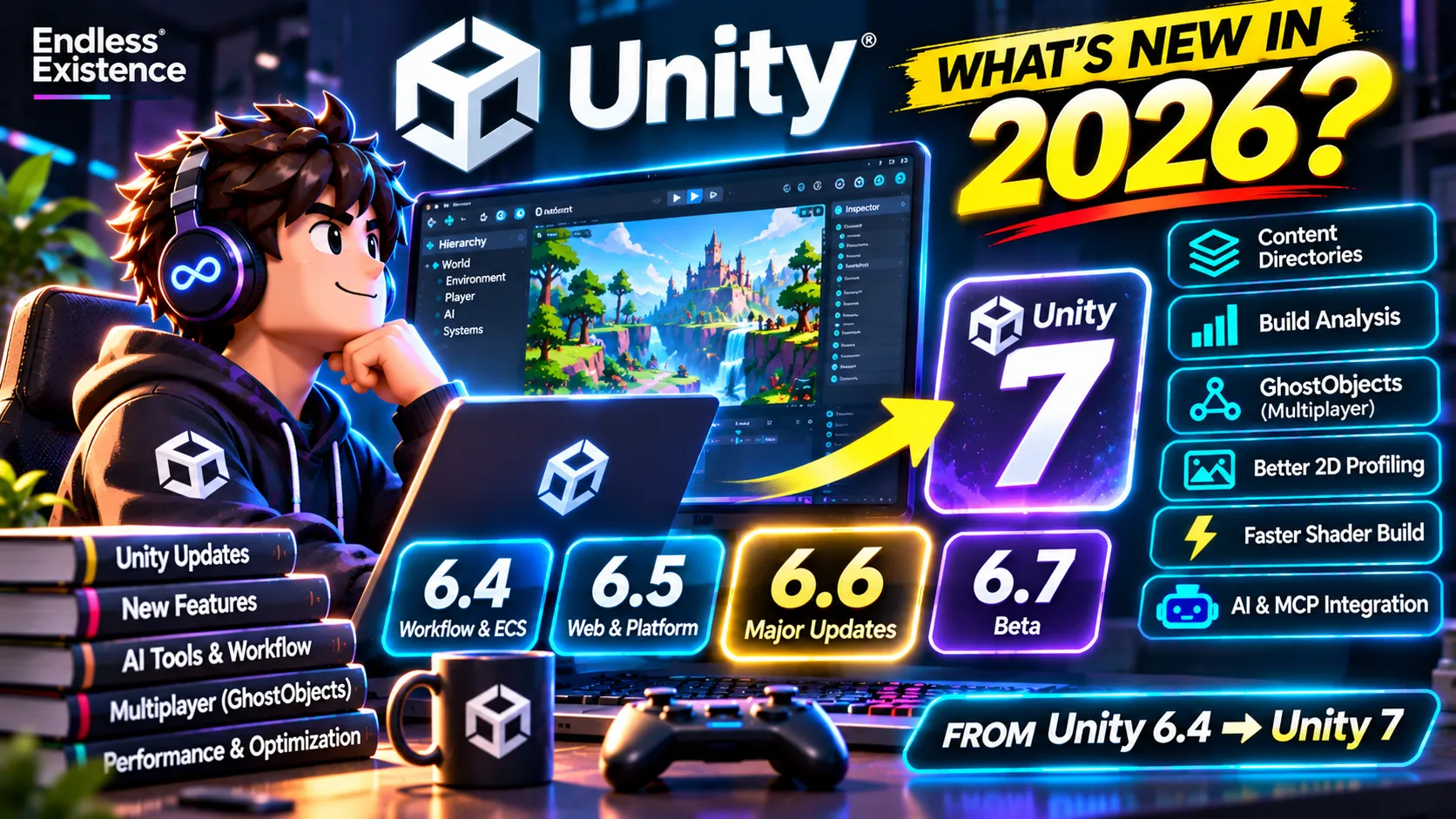
In this guide, we explore the most important Unity updates in 2026, including features introduced in Unity 6.4, 6.5, and 6.6, developments in the Unity 6.7 Beta, and the officially announced direction of Unity 7.
Whether you are developing mobile games, PC games, multiplayer experiences, or indie projects, these are the changes worth understanding.
1. Unity in 2026: Where Things Stand
Unity’s current release structure is different from the older release model.
Instead of relying on a single major version for all new functionality, Unity now delivers improvements through Long-Term Support releases and regular Update releases.
Here is the current picture:
| Version | Status | What it means |
|---|---|---|
| Unity 6.3 LTS | Long-Term Support | Recommended for production stability |
| Unity 6.4 | Legacy release | Earlier feature update |
| Unity 6.5 | Legacy release | Earlier feature update |
| Unity 6.6 | Current Update release | Latest production-oriented update |
| Unity 6.7 | Beta | Preview of upcoming changes |
| Unity 7 | Upcoming | Next generation of Unity |
Unity 6.3 LTS is supported until December 2027. Unity 6.6 is the current Update release, while Unity 6.7 is available in beta.
For developers working on live-service games or projects close to release, LTS is generally the safer choice. For new projects or projects that can accommodate upgrades, Update releases provide access to newer functionality.
Important: A newer Unity version is not automatically the best version for every project. Package compatibility, platform requirements, plugins, and production stability should influence your upgrade decision.
2. Unity 6.4: Better Workflows, ECS Integration, and Rendering Improvements
Unity 6.4 introduced several improvements across editor workflows, rendering, input, programming, and Entities.
One of the important changes was the integration of ECS packages into the core Editor release cycle, alongside improvements to the development experience.
Project Auditor Improvements
Project Auditor helps developers identify potential issues in their Unity projects.
It can analyze different aspects of a project and highlight problems that may affect performance, compatibility, or project quality.
For developers maintaining larger projects, this makes it easier to identify problems before they become difficult to investigate.
ECS Becomes More Integrated
Unity’s Entity Component System (ECS) is designed for data-oriented development.
It can be particularly useful when a game needs to process large numbers of entities efficiently.
With improvements to ECS integration, Unity is making it easier to work with its data-oriented technology stack as part of the main development environment.
This does not mean every Unity game should use ECS. Traditional GameObjects and MonoBehaviours remain appropriate for many projects.
Improved 2D Rendering
Unity 6.4 also introduced custom rendering and post-processing capabilities for 2D projects using URP.
Developers can create custom render passes in C# and inject them into the URP rendering process.
This provides more flexibility for projects that require specialized 2D visual effects.
Another useful addition is the ability to create sprite atlases at runtime through the SpriteAtlasManager.CreateSpriteAtlas API.
This can be useful for projects that dynamically manage sprite content.
Improved UI Toolkit and Editor Workflows
Unity 6.4 also includes improvements to UI Toolkit and general editor workflows.
For developers building custom editor tools, these changes contribute to a more flexible development environment.
3. Unity 6.5: Better Platform Support and Web Performance
Unity 6.5 introduced a range of improvements involving platforms, programming, and editor functionality.
Some of these updates are especially interesting for developers targeting web and mobile platforms.
WebAssembly 2023 Becomes the Default
One notable change is the default adoption of the WebAssembly 2023 target for Unity Web builds.
This reflects the continued evolution of browser-based game development.
Unity 6.5 also moved to Emscripten 4.0.19-unity for Web Player builds.
Emscripten is part of the toolchain used to compile Unity’s Web builds.
For developers publishing WebGL-style games, these changes are worth understanding because they affect the underlying web build pipeline.
Smaller Web Builds Through IL2CPP Metadata Optimization
Unity 6.5 introduced IL2CPP metadata optimizations intended to reduce Web platform build sizes and improve loading times.
This is particularly relevant for browser games, where initial download size can have a significant impact on the player experience.
However, these optimizations do not guarantee a dramatic reduction in every project. Actual results depend on the game’s code, assets, dependencies, and build configuration.
Unity Mathematics Becomes Built In
Unity Mathematics is now a built-in module of the core Editor and Engine.
Its APIs are available through the Unity.Mathematics namespace without requiring a separate package installation.
This is particularly useful for developers working with:
- DOTS and ECS.
- Burst-compiled code.
- Job System workflows.
- Vector and matrix calculations.
- Performance-oriented systems.
Experimental Swift Xcode Project Support
Unity 6.5 also introduced experimental support for Swift-based Xcode projects on iOS, iPadOS, and tvOS.
This provides a more Swift-oriented approach to Apple platform integration and native plugin workflows.
Because the feature is experimental, developers should evaluate compatibility and limitations before adopting it in production.
4. Unity 6.6: The Most Important Current Update
Unity 6.6 introduces improvements that affect several areas of everyday development.
Some changes are relatively small quality-of-life improvements, while others have more significant implications for performance, asset management, and project architecture.
Let’s look at the most interesting ones.
4.1 Content Directories: A New Approach to Content Builds
One of the most interesting Unity 6.6 additions is the content directory build system.
It is designed as a replacement for the traditional AssetBundle content build workflow.
The system supports:
- Local content distribution.
- Automatic asset deduplication.
- Reduced loading times.
- Lower memory overhead.
- More flexible asset loading and unloading.
Unity provides APIs such as:
BuildPipeline.BuildContentDirectoryLoadable
Content directories are also supported through the Addressables package.
Why does this matter?
Imagine building a large game with multiple maps, characters, weapons, and downloadable content.
You do not necessarily want every asset loaded into memory at once.
A well-designed content pipeline allows you to distribute and load only the content required by the current gameplay experience.
For developers building large games, this is an area worth exploring.
4.2 Build Analysis Window
Unity 6.6 introduces a Build Analysis window and build history reports.
Whenever you create a Player or content directory build, Unity generates build-related reports inside:
Library/BuildHistoryThese reports contain information about the build and the files it produced.
Developers can inspect this information through the new Build Analysis window or access build history programmatically.
This is useful when investigating:
- Unexpected build size increases.
- Changes between builds.
- Asset inclusion.
- Build pipeline behavior.
- Project packaging issues.
Instead of guessing why a build became larger, you can investigate the actual build report.
4.3 Cinemachine and Timeline Become Core Packages
Unity 6.6 promotes several important packages into the core package ecosystem.
These include:
- Cinemachine.
- Timeline.
- Animation Rigging.
This is useful because these tools are widely used in professional game development.
Cinemachine helps developers build sophisticated camera systems.
Timeline is useful for:
- Cutscenes.
- Cinematic sequences.
- Animation synchronization.
- Audio and event sequencing.
- Scripted gameplay moments.
Animation Rigging provides tools for procedural character animation and rig manipulation.
Moving these packages into the core package ecosystem improves their integration with Unity’s release cycle.
4.4 A Better Hierarchy Window
Unity 6.6 enables the new Hierarchy window by default.
The updated window includes:
- Better performance in large scenes.
- Horizontal scrolling.
- Customizable columns.
- Additional GameObject information.
- Improved visual organization.
- Support for entities and UI Toolkit visual elements.
You can also customize columns to display information such as layers and tags.
For developers working with large scenes containing hundreds or thousands of objects, these improvements can make everyday scene navigation easier.
4.5 Better ECS Debugging and Integration
Unity 6.6 brings improvements to the way developers inspect and work with Entities.
The standard Hierarchy window now integrates more closely with ECS workflows.
Developers can inspect entity worlds, subscenes, and entities alongside regular GameObjects.
The Systems window has also received improvements to help developers understand system update ordering.
This is important when working with complex ECS projects where system dependencies and execution order can become difficult to manage.
4.6 Better 2D Profiling
Unity 6.6 introduces additional Profiler modules for 2D projects.
These help developers investigate:
- 2D animation performance.
- Tilemap performance.
- Sprite and light-related rendering.
- Tilemap chunks and meshes.
- 2D graphics and shadows.
This is particularly useful for developers creating large 2D mobile games, platformers, or tile-based environments.
Instead of relying only on general CPU and GPU measurements, developers can inspect more specific 2D performance information.
4.7 GPU Resident Drawer Profiling
Unity 6.6 also improves visibility into GPU Resident Drawer activity.
The Profiler now provides information about:
- GPU Resident Drawer coverage.
- Culling.
- LOD behavior.
- Pipeline timing.
This helps developers understand how the GPU Resident Drawer is contributing to rendering performance.
The important distinction is that profiling visibility does not automatically make a game faster. It helps developers understand and optimize the rendering pipeline.
4.8 Shader Compilation Improvements
Unity 6.6 adds support for using the DirectX 12 shader compiler, DXC, in supported configurations.
This provides access to newer shader compilation capabilities and can improve compilation speed on supported platforms.
Unity also provides additional controls for setting shader constant values without relying on separate shader variants.
For projects with complex shader setups, these improvements can help simplify shader management.
5. Unity 6.6 Performance Improvements: Memory and Build Optimization
Performance is one of the most important considerations in modern game development.
Unity 6.6 includes several improvements that help developers understand and manage performance.
One interesting development is the introduction of mimalloc for leaner memory allocation.
Memory allocators influence how applications request and manage memory.
Unity’s discussion of mimalloc focuses on improving memory allocation efficiency.
The practical impact depends on the game’s workload, platform, and allocation patterns. Developers should benchmark their own projects rather than assume a universal performance improvement.
Unity 6.6 also includes:
- Improved build analysis.
- More detailed profiler information.
- Better ECS memory labels.
- Additional project auditing.
- Improved shader compilation options.
Together, these features provide more visibility into performance-related problems.
6. Unity 6.7 Beta: What Is Changing?
Unity 6.7 is available as a beta release.
This is important because beta releases can introduce features and workflow changes before they reach a stable production release.
One of the most interesting areas is the growing integration between Unity’s Editor, command-line tools, and AI development agents.
Unity CLI Is Becoming More Capable
Unity’s Command Line Interface is evolving into a tool that can connect different parts of the development workflow.
Recent beta updates have introduced features such as:
- Managing Unity Editor instances.
- Running Editor commands.
- Building projects.
- Installing and synchronizing AI agent skills.
- Inspecting version-control changes.
- Summarizing scene and prefab modifications.
- Setting up build pipelines.
The November 2026 CLI beta update also introduced the ability to interact with certain Editor modal dialogs through CLI commands.
It can build through an Editor instance that already has the project open, and it provides improved scene and prefab change summaries.
This is particularly useful for developers using coding agents that need to interact with the Unity project rather than only edit isolated C# files.
AI Agents and Unity Development
Unity is moving toward workflows where AI coding agents can participate in more of the development process.
For example, an agent might:
- Inspect the project structure.
- Read relevant scripts.
- Investigate Console errors.
- Modify a gameplay system.
- Run supported Editor commands.
- Build the project.
- Summarize the changes.
This can reduce repetitive work, but developers still need to review code, inspect scenes, and verify gameplay behavior.
Important: Unity 6.7 is a beta version. Do not assume that beta features are production-ready or that every AI agent supports every workflow.
7. Unity Multiplayer Is Getting More Interesting: GhostObjects
One of the most significant recent multiplayer developments is the introduction of GhostObject APIs.
Unity announced the first iteration of these APIs in November 2026.
Previously, developers who wanted advanced prediction and rollback workflows often had to use Netcode for Entities and adopt ECS-oriented architecture.
The new GhostObject APIs bring some of these capabilities into GameObject-based workflows.
What Are GhostObjects?
GhostObjects allow developers to use prediction-oriented networking functionality with GameObjects.
The new approach provides access to capabilities including:
- Client-side prediction.
- Rollback.
- Delta compression.
- Quantization.
- Relevancy and importance scaling.
- Server rewind and lag compensation.
These features are important for real-time multiplayer games where latency and network performance directly affect gameplay.
For example, consider a competitive multiplayer shooter.
When a player moves or fires a weapon, the game should respond immediately rather than waiting for every server response.
Prediction helps the client anticipate the result while the server remains authoritative.
Rollback allows the networking system to correct and replay state when necessary.
Why This Matters for Unity Developers
Developers who prefer working with traditional GameObjects can now explore prediction-oriented networking without immediately rewriting their entire gameplay architecture around ECS.
The initial GhostObject release is still an evolving technology, so developers should study its compatibility requirements and documentation before migrating an existing multiplayer project.
For developers building competitive multiplayer games, this is one of the most important Unity developments to watch.
8. Unity 7: What Developers Should Expect
Unity 7 is the next major generation of the Unity Editor and runtime.
Unity has officially announced Unity 7 as a continuation of the Unity 6 development direction.
Its planned release is early 2027.
Unity has outlined several major areas of focus.
8.1 CoreCLR and Faster Development
One of the biggest planned changes is the modernization of Unity’s underlying runtime foundation through CoreCLR.
Unity has announced goals such as:
- Faster Play Mode iteration.
- Domain reloads that affect only changed code.
- Faster shader builds.
- A more modern development foundation.
Unity has stated that shader builds could become up to 90% faster in the announced Unity 7 workflow.
This is a stated target, not a guarantee that every project will experience the same improvement.
For developers working on large projects, reducing iteration time could make a significant difference.
8.2 Better AI Agent Integration
Unity 7 is being designed to support collaboration between developers, artists, producers, and coding agents.
Unity has announced plans for:
- A new CLI and public API.
- Better external tool integration.
- Agent connectivity through MCP.
- Workflows that allow more team members to participate without requiring full Editor access.
This could change how development teams organize their production pipelines.
Instead of treating AI as a separate chat window, developers may be able to integrate agents directly into project workflows.
8.3 Better Graphics Across Platforms
Unity 7 is also expected to introduce rendering improvements.
One of the announced technologies is Surface Cache Global Illumination.
The goal is to provide richer real-time lighting and visual detail across different hardware capabilities.
Unity has also discussed neural upscaling and AI-assisted graphics optimization.
These technologies could be especially interesting for developers trying to balance visual quality and performance across PC and mobile platforms.
8.4 Better Monetization and Player Growth
Unity 7’s announced direction also includes improvements beyond the Editor itself.
Unity has highlighted:
- Vector for AI-assisted audience growth.
- Direct-to-consumer commerce.
- No-code webshops.
- Unified product catalogs.
These are part of Unity’s broader development, deployment, and growth ecosystem.
They are especially relevant to studios that operate live games and need more flexible ways to acquire and monetize players.
Should You Wait for Unity 7?
No.
Unity 7 is expected to continue the Unity 6 architecture, and Unity has stated that it does not expect a major project rewrite to upgrade.
You can continue developing with Unity 6 and prepare for the new workflows gradually.
If you are working on a production game, prioritize a stable version over an early beta simply because it has newer features.
9. Which New Unity Features Should You Learn First?
Not every new feature is equally important for every developer.
Here is a practical breakdown.
| Developer type | Features worth exploring |
|---|---|
| Indie developer | Build Analysis, Content Directories, CLI |
| Mobile developer | Web and platform improvements, profiling, memory optimization |
| Multiplayer developer | GhostObjects, prediction, networking |
| Technical artist | Shader compilation, rendering, GPU profiling |
| 2D developer | 2D URP rendering and Profiler modules |
| Tools programmer | CLI, Editor APIs, custom tools |
| ECS developer | Entities integration and memory profiling |
| AI-assisted developer | MCP, CLI, agent skills |
For most general-purpose Unity developers, I would start with the following:
- Learn the Unity CLI and its project workflows.
- Understand the Build Analysis window.
- Explore Content Directories and Addressables.
- Learn the improved Profiler capabilities.
- Experiment with Unity’s AI and MCP workflows.
- Explore GhostObjects if you develop multiplayer games.
10. Should You Upgrade Your Existing Unity Project?
Upgrading an existing project requires more care than installing a newer Editor.
Before upgrading, consider the following:
Check Package Compatibility
Your project may depend on:
- Third-party plugins.
- Asset Store packages.
- Custom Editor extensions.
- Rendering packages.
- Networking libraries.
- Native plugins.
Check whether they support your target Unity version.
Back Up Your Project
Create a proper version-control checkpoint before opening the project with a new Editor version.
Git is particularly useful because you can inspect changes and revert if necessary.
Test Your Important Systems
After upgrading, test:
- Player movement.
- Physics.
- Animation.
- UI.
- Save systems.
- Audio.
- Multiplayer.
- Asset loading.
- Build output.
Compare Performance
Do not assume the new version is faster.
Profile the old and new builds under similar conditions and compare actual measurements.
Avoid Upgrading Near a Release
If your project is close to shipping, the risks of upgrading may outweigh the benefits.
A stable production build is more valuable than access to a feature you do not urgently need.
11. Final Thoughts: Unity Is Moving Toward a More Connected Development Workflow
Unity’s evolution in 2026 is about more than visual improvements.
The engine is becoming more integrated across programming, rendering, asset management, networking, automation, and AI-assisted workflows.
Unity 6.6 brings meaningful improvements to content management, profiling, ECS, and everyday editor workflows.
Unity 6.7 Beta demonstrates how command-line development and AI agent integration are evolving.
Unity 7 represents a broader vision for faster iteration, improved graphics, and collaboration between humans and coding agents.
For developers, the most important lesson is to understand which features solve real problems in their projects.
You do not need to adopt every new technology immediately.
Learn the tools that improve your workflow, test new capabilities in small projects, and upgrade production projects only when the benefits justify the risks.
The future of Unity development is not simply about making games faster. It is about making the entire process of creating, testing, optimizing, and shipping games more connected and efficient.
Frequently Asked Questions
1. What is the latest stable Unity version in November 2026?
Unity 6.6 is the current Update release, while Unity 6.3 LTS is the latest Long-Term Support release. Unity 6.7 is available in beta.
2. Is Unity 6.6 better than Unity 6.3 LTS?
Unity 6.6 includes newer features and improvements, while Unity 6.3 LTS offers a longer support window. The better choice depends on your project’s production stage and package compatibility.
3. What is new in Unity 6.6?
Important additions include Content Directories, Build Analysis, improved ECS integration, a new Hierarchy window, additional 2D profiling modules, and GPU Resident Drawer profiling.
4. What is new in Unity 6.5 for WebGL development?
Unity 6.5 introduced Emscripten 4.0.19-unity, WebAssembly 2023 as the default target, and IL2CPP metadata optimizations intended to reduce web build sizes.
5. What are GhostObjects in Unity?
GhostObjects are part of Unity’s newer networking approach. They allow developers to use prediction-oriented networking features with GameObject-based workflows, including rollback and delta compression.
6. When is Unity 7 coming out?
Unity has announced Unity 7 for early 2027. Its roadmap includes CoreCLR, better collaboration with coding agents, rendering improvements, and new monetization capabilities.
7. Will Unity 7 break existing Unity 6 projects?
Unity has stated that Unity 7 is designed as a continuation of Unity 6, without requiring developers to rebuild their projects or rewrite their codebases. However, individual APIs, packages, and platform requirements can still change.
8. Should beginners start learning Unity 6.6 or wait for Unity 7?
Start learning with a stable Unity release now. Understanding C#, GameObjects, components, scenes, physics, and the rendering pipeline will remain valuable across future versions.