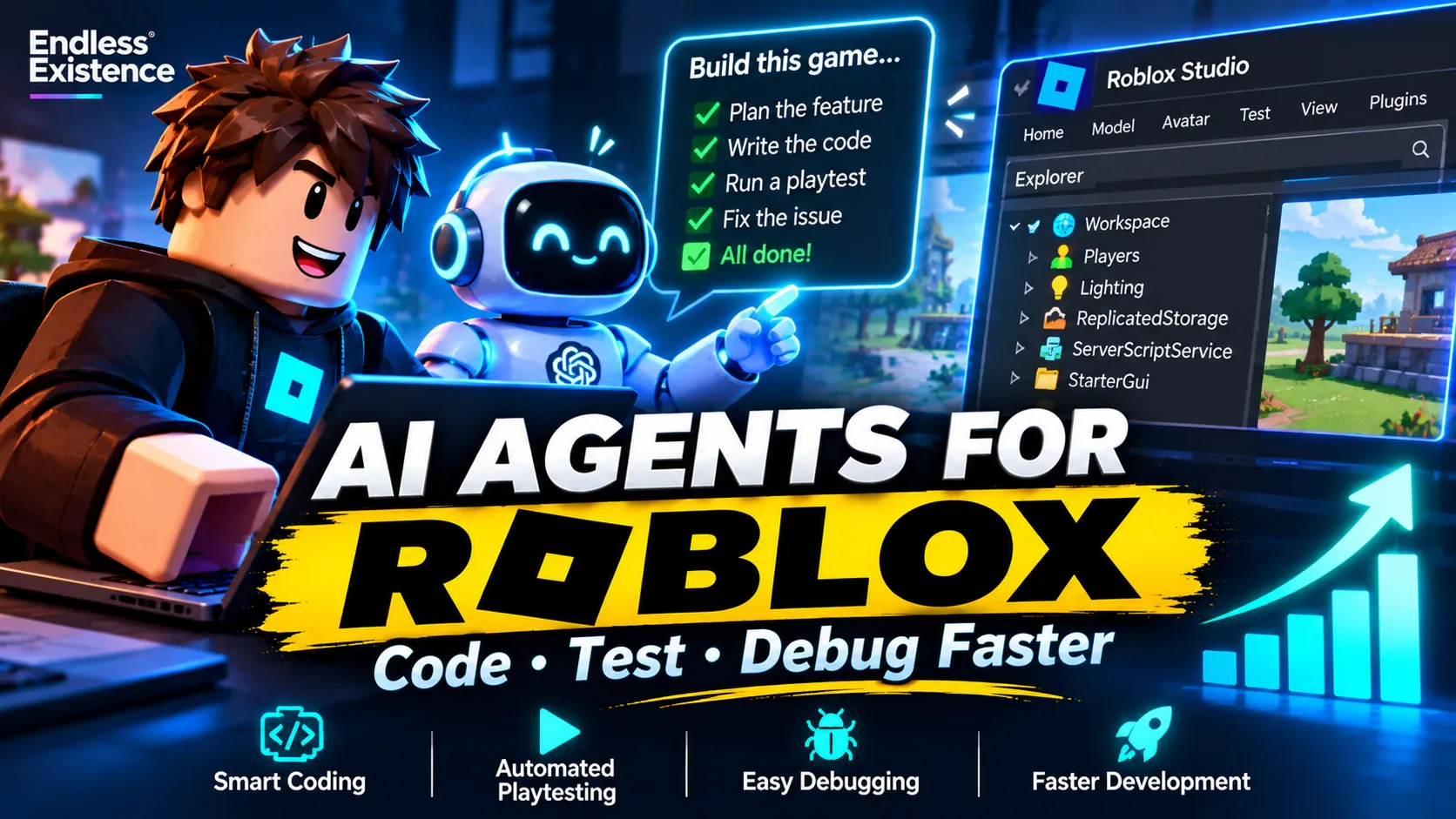
AI is changing how developers build Roblox games. Tasks that once required manually editing scripts, creating objects, and repeatedly testing gameplay can now be partially automated with AI-powered development tools.
But there is a difference between asking an AI to write a Luau script and giving an AI agent the ability to inspect your project, modify its structure, run playtests, and investigate errors.
The second approach can be much more powerful.
With Roblox Studio’s built-in Assistant and Model Context Protocol (MCP) support, developers can connect compatible AI clients to their Studio sessions. This allows an agent to work with the actual game project instead of relying entirely on code snippets and manually provided screenshots.
For indie developers and small Roblox studios, this creates an opportunity to accelerate development without abandoning established engineering practices.
However, AI agents can also introduce bugs, misunderstand existing architecture, overwrite working systems, and produce code that looks correct but fails during gameplay.
In this guide, you’ll learn how to use AI agents effectively for Roblox game development, connect them to Roblox Studio, structure tasks for better results, automate testing, and avoid common mistakes.
Whether you’re building a simulator, tycoon, obby, survival game, or multiplayer experience, these techniques can help you build a more efficient development workflow.
What Is an AI Agent in Roblox Game Development?
An AI coding assistant typically responds to questions, explains code, or suggests implementations.
An AI agent can go further by using tools to perform actions within a development environment.
Depending on its configuration and permissions, an agent connected to Roblox Studio may be able to:
- Inspect the game’s Explorer hierarchy and data model.
- Read existing Luau scripts.
- Create or modify scripts.
- Add and configure objects.
- Execute supported commands.
- Start and stop playtests.
- Simulate player inputs.
- Inspect available debugging output.
- Investigate failures and attempt fixes.
These capabilities depend on the connected tools, permissions, and current Studio implementation. They do not mean every AI client can perform every action automatically.
The key difference is that an agent can participate in a development loop rather than merely generate isolated answers.
For example, imagine you’re developing a Roblox cleaning simulator.
You ask an AI assistant to create a trash collection system. A basic coding assistant might generate a script for you to copy into Studio.
An agent connected through MCP could potentially inspect the current project, identify relevant scripts and objects, implement the feature in the appropriate location, run a playtest, inspect errors, and revise the implementation.
You still need to verify that the system behaves correctly, but the amount of repetitive manual work may be reduced.
Roblox Studio Assistant vs. External AI Agents
Roblox developers have several ways to use AI, and choosing the right approach depends on the task.
| Approach | Best suited for |
|---|---|
| Roblox Studio Assistant | Quick code generation, object editing, questions, and scene changes |
| External AI coding agent | Multi-step programming tasks and working across project files |
| Studio MCP connection | Giving a compatible external agent access to supported Studio operations |
| Script Sync with Git | File-based development, code review, and version control |
| Specialized AI tools | Focused tasks such as asset creation, documentation, or code analysis |
Roblox Studio’s Assistant is the easiest place to begin because it is integrated into the development environment.
External agents can be useful when you want more control over project files, repository workflows, and multi-step implementation.
A particularly useful setup combines an AI-enabled editor, Roblox Studio, Script Sync, MCP, and Git. This creates a workflow in which the agent can work with code files while also interacting with the running Studio project.
Roblox’s official documentation explains the supported workflow and setup requirements:
1. Connect Your AI Agent to Roblox Studio
If you want an agent to inspect and modify a real Roblox project, connecting it to Studio is one of the most useful improvements you can make.
The exact setup depends on your editor and AI client, but the general workflow is similar.
Step 1: Install the development tools
Prepare the following:
- The latest compatible version of Roblox Studio.
- An AI-enabled coding environment, such as Cursor or VS Code with a compatible coding agent.
- Git for version control.
- A project folder for your game.
If you already use a different MCP-compatible AI client, check its current compatibility with Roblox Studio before choosing a setup.
Step 2: Enable Script Sync if needed
Script Sync allows supported Roblox services to synchronize scripts with corresponding files on your computer.
In Studio, check File → Beta Features for Script Sync if it is still marked as a beta feature in your version.
Enable it and restart Studio if requested.
Then use the Script Sync options in Explorer to connect the relevant services to their corresponding project folders.
For example, your file structure might look like this:
MyRobloxGame/
├── ServerScriptService/
│   ├── Services/
│   └── Systems/
├── ReplicatedStorage/
│   ├── Shared/
│   └── Remotes/
├── StarterPlayer/
│   └── StarterPlayerScripts/
├── StarterGui/
└── README.md
This is an illustrative structure, not a mandatory Roblox project layout. Adapt it to your architecture and the services you actually use.
Script Sync feature availability and setup steps can change, so consult the official documentation if your Studio interface differs.
Step 3: Enable the built-in MCP server
In Roblox Studio:
- Open the Assistant panel.
- Open its additional options menu.
- Select Manage MCP Servers.
- Enable the Studio MCP server.
- Connect your supported AI client using the available connection options.
MCP stands for Model Context Protocol. It provides a standardized way for compatible AI clients to communicate with external tools.
In this case, it enables the AI client to interact with supported functionality in your open Studio session.
Step 4: Verify the connection
Do not begin by asking the agent to build an entire game.
Start with a harmless inspection task:
Connect to my active Roblox Studio session and inspect the current game hierarchy. List the main services, scripts, folders, and existing gameplay systems. Do not modify any objects or scripts. Identify anything you cannot inspect.
Review the response and compare it with Explorer.
If the agent cannot identify the correct project or reports objects that do not exist, troubleshoot the connection before allowing it to make changes.
Step 5: Commit a clean baseline
Before delegating development tasks, commit your current project state to Git.
This gives you a known baseline and makes it easier to review or revert unwanted changes.
Do not assume that Script Sync or MCP automatically provides source control. Git and the Studio connection serve different purposes.
For the complete official setup, follow the Roblox coding harness guide.
2. Give Your AI Agent Project Context Before Assigning Tasks
One of the biggest mistakes developers make is asking an agent to modify a game without explaining how that game works.
Consider this prompt:
Make a quest system for my Roblox game.
It leaves many important questions unanswered.
Should quests be stored in a module? Does the game already have a mission service? How are rewards handled? Is quest progress saved? Does the UI use a particular framework? Are there existing RemoteEvents or shared data structures?
An agent may invent its own answers and produce a system that conflicts with your existing implementation.
Create a project context document
A simple README.md or AI_CONTEXT.md can explain the most important aspects of your project.
For example:
# Project Context

## Game Overview
A multiplayer cleaning simulator.

## Technology
- Roblox Studio
- Luau
- Git
- Existing project architecture

## Core Systems
- Player data
- Mission service
- Inventory
- Tool upgrades
- Currency
- UI controllers

## Development Rules
- Inspect existing implementations first.
- Reuse existing systems where appropriate.
- Avoid duplicate services and RemoteEvents.
- Keep server-authoritative gameplay logic on the server.
- Validate client requests on the server.
- Preserve existing public interfaces unless approved.
- Test changes in Roblox Studio.
- Report unverified behavior explicitly.

## Workflow
1. Inspect.
2. Plan.
3. Implement.
4. Test.
5. Review.
6. Summarize changes.
Adapt this document to your actual game. Do not list systems or frameworks that do not exist.
A context document is particularly useful when the project spans many scripts or when you work with the agent across multiple sessions.
Ask the agent to inspect before editing
A strong first instruction is:
Inspect the existing implementation before making changes. Identify relevant scripts, dependencies, data flow, and existing conventions. Explain your proposed approach and list the files or Studio objects you expect to modify. Do not make changes until the plan is reviewed.
This reduces the likelihood of unnecessary rewrites and helps you catch architectural misunderstandings early.
3. Use a Plan–Build–Test–Review Workflow
The most reliable way to use an AI agent is to divide work into stages.
Instead of asking for a complete feature in one prompt, define a series of tasks that can be inspected and tested independently.
Plan
Ask the agent to understand the feature and its dependencies.
For a quest system, the plan might include quest definitions, progress tracking, reward validation, persistence, and UI integration.
Review the plan before implementation.
Build
Implement one coherent part of the feature at a time.
For example, create the quest data structure and basic server-side progress tracking before adding the UI and reward animations.
Test
Ask the agent to verify the behavior using available Studio tools and inspect the relevant output.
If the feature depends on multiplayer behavior, test multiple clients and server interactions rather than relying exclusively on a single-player session.
Review
Inspect the changed files, confirm that existing features still work, and review any remaining errors.
Only merge or publish the changes when you are satisfied with the implementation.
This workflow mirrors the approach encouraged by Roblox’s own Assistant documentation: plan the game, build and playtest it, then refine and polish the result.
4. Write Better Prompts for Roblox AI Agents
The quality of an agent’s output depends partly on how clearly you define the task and its constraints.
A useful prompt should describe the desired behavior, existing context, implementation boundaries, acceptance criteria, and testing requirements.
Weak prompt
Make my inventory system better.
This does not explain what is wrong or how success will be measured.
Improved prompt
Inspect the existing inventory implementation in my Roblox project. Identify the current data flow, relevant modules, and known limitations. Do not modify anything yet. Propose a minimal implementation plan that preserves the current inventory API, validates server-side item changes, and avoids introducing duplicate RemoteEvents. Include acceptance criteria and tests for full inventory capacity, duplicate items, item removal, and saving/loading.
The improved prompt gives the agent a specific objective and boundaries.
A reusable task prompt
You can adapt this template for many Roblox development tasks:
ROLE
Act as a senior Roblox gameplay engineer.

PROJECT CONTEXT
Inspect the existing project before making assumptions.
Follow the established architecture and coding conventions.

TASK
[Describe one specific feature or bug.]

CONSTRAINTS
- Reuse existing systems where appropriate.
- Do not duplicate services or remote objects.
- Preserve unrelated functionality.
- Keep server-authoritative logic on the server.
- Validate client-originated requests.
- Do not refactor unrelated systems.

IMPLEMENTATION PLAN
First identify dependencies and propose a minimal plan.
Wait for approval before making significant changes.

ACCEPTANCE CRITERIA
1. [Expected behavior]
2. [Expected behavior]
3. [Relevant edge case]

TESTING
- Run appropriate playtests.
- Inspect relevant errors and warnings.
- Test important edge cases.
- Report anything that could not be verified.

FINAL REPORT
Summarize changed files, implementation decisions,
tests performed, results, and remaining limitations.
The most important part is not the wording of the template. It is the discipline of specifying what success looks like.
5. Let AI Agents Debug Existing Roblox Games
Debugging is often one of the most valuable uses of an AI coding agent, especially in larger projects.
However, asking an agent to fix an error without context can lead to unnecessary changes.
A better approach is to provide the exact error, reproduction steps, expected behavior, and relevant code or project access.
Example: Fixing a broken mission system
Suppose a mission does not complete after the player finishes an objective.
A structured debugging task would be:
- Reproduce the issue.
- Inspect the mission configuration and progress-tracking logic.
- Trace how the server records objective completion.
- Check whether the UI receives the updated state.
- Inspect errors and warnings.
- Identify the root cause before changing code.
- Implement the smallest appropriate fix.
- Reproduce the original scenario and verify the result.
You can instruct the agent to report competing explanations if the root cause is uncertain.
This is better than allowing it to rewrite the entire mission system simply because it cannot immediately identify the bug.
Require evidence for claimed fixes
A useful instruction is:
Do not claim that the bug is fixed unless you reproduce the original issue, apply the change, and verify the expected behavior. If testing is unavailable or incomplete, state exactly what remains unverified.
This helps distinguish a plausible code change from a demonstrated solution.
6. Use AI Agents to Automate Roblox Playtesting
Testing can consume substantial time, particularly when a game has many UI screens, missions, tools, or progression systems.
Roblox Studio’s MCP integration supports playtesting capabilities that can allow compatible agents to start or stop play sessions, simulate inputs, and inspect available debugging output.
Roblox announced playtest automation features in March 2026, including virtual mouse and keyboard input and the ability to inspect logs during testing.
Source: Roblox Assistant Updates: Studio MCP Server and Playtest Automation.
Example: Test an upgrade system
Imagine that your simulator allows players to buy upgraded cleaning tools.
A useful test plan might include:
- Buying an upgrade when the player has sufficient currency.
- Attempting to buy an upgrade without enough currency.
- Checking whether the displayed price matches the server’s price.
- Confirming that the correct tool is unlocked.
- Verifying that currency is deducted exactly once.
- Testing repeated or rapid purchase requests.
- Checking whether the upgrade persists after reconnecting, if persistence is part of the feature.
An AI agent may be able to automate some of these interactions, depending on the available tools and test setup.
However, simulated inputs and automated checks do not replace every kind of QA. Visual defects, performance problems, exploit resistance, multiplayer race conditions, and subtle gameplay issues may still require additional testing.
Create a regression checklist
Whenever a feature is modified, identify nearby systems that could be affected.
For an inventory change, regression tests might cover equipment, trading, saving, UI updates, and rewards.
The agent should report both the tests it ran and the tests it could not run. Never treat a successful script execution as proof that every relevant gameplay scenario works.
7. Use Multiple AI Agents Without Creating Chaos
It can be tempting to assign separate agents to every part of a game.
One agent could work on the inventory, another on missions, and another on the UI. In theory, this allows parallel development.
In practice, parallel agents can introduce conflicting changes when they edit shared files, modify the same data structures, or make incompatible assumptions.
Divide tasks by clear boundaries
A safer approach is to give agents separate responsibilities.
For example:
| Agent | Responsibility | Boundary |
|---|---|---|
| Agent A | Mission definitions and progression | Owns mission-related modules |
| Agent B | UI implementation | Uses the agreed mission interface |
| Agent C | Test planning and verification | Does not change production code without approval |
| Human developer | Architecture and integration | Reviews shared interfaces and merges changes |
These are example roles, not a requirement to use multiple agents.
Before parallel work begins, define the interfaces between systems. If one agent changes a module’s public API, other tasks may need to be updated.
Use Git branches or another clear isolation strategy when agents modify project files. Review and merge changes deliberately rather than allowing independent implementations to overwrite each other.
When should you use multiple agents?
Parallel work is most useful when tasks are genuinely independent.
It is usually less useful when several agents need to understand and modify the same core system.
For a solo developer, one well-contextualized agent with a disciplined testing workflow may be more effective than several agents working simultaneously.
8. Use Git to Protect Your Roblox Project
AI agents can make many changes quickly, which increases the importance of version control.
Without a reliable way to compare and revert changes, debugging the agent’s implementation can become more difficult than implementing the feature manually.
Git allows you to track source changes, review diffs, create branches, and restore earlier versions of files.
A practical workflow is:
- Commit the working project before starting a task.
- Give the agent one clearly defined objective.
- Review the modified files and Git diff.
- Run the relevant tests.
- Commit the change only after verification.
- Revert or revise the changes if they introduce regressions.
For larger projects, avoid asking an agent to refactor multiple unrelated systems in a single task.
Also remember that Git does not automatically protect every part of a Roblox project. Binary assets, place files, generated files, and synchronized scripts may need a deliberate repository strategy.
Follow the official Roblox coding harness guide when setting up Script Sync and Git together.
9. Common Mistakes When Using AI Agents for Roblox Development
Asking for an entire game in one prompt
Large, underspecified requests encourage the agent to invent architecture, skip important edge cases, and produce difficult-to-maintain code.
Break development into small, testable milestones.
Allowing unrestricted project changes
An agent may rewrite working systems while trying to implement a seemingly simple feature.
Define which files and systems it may modify, and require approval for broader changes.
Ignoring server-side security
Client-side code should not be trusted to determine sensitive gameplay outcomes such as currency balances, purchases, rewards, or inventory ownership.
Ask the agent to preserve server authority and validate client requests. Then review the implementation and test relevant exploit scenarios.
Accepting code without testing
Code that compiles can still behave incorrectly.
Test the actual gameplay flow, including relevant edge cases and interactions with existing systems.
Giving the agent outdated project information
If your architecture has changed, old documentation may cause the agent to use removed modules or obsolete interfaces.
Keep project context updated and ask the agent to inspect the current project before making assumptions.
Treating automated testing as complete QA
An agent may verify a narrow scenario without noticing unrelated problems.
Define test coverage explicitly and conduct additional manual or automated testing for important release risks.
Ignoring licensing and asset safety
AI-assisted workflows can involve generated content and third-party assets. Verify asset permissions, inspect generated scripts, and avoid exposing secrets or confidential project data.
10. A Practical AI Agent Workflow for a Roblox Simulator
Let’s combine these ideas into a realistic example.
Imagine you’re developing a simulator in which players collect trash, clean dirty surfaces, upgrade equipment, and unlock new locations.
You want to add a new mission system.
Phase 1: Inspect the project
Ask the agent to identify the current mission configuration, progress-tracking logic, player data system, reward handling, and UI integration.
Do not allow implementation until the relevant dependencies are understood.
Phase 2: Define the feature
Specify the intended behavior.
For example:
- Players receive a mission when entering a location.
- Missions contain defined objectives.
- Objective progress is updated by valid gameplay actions.
- Rewards are granted once when the mission is completed.
- The UI displays the current objective and progress.
- Persistent progress follows the game’s existing save rules.
These are example requirements; adapt them to your actual game design.
Phase 3: Implement the core system
Build the mission data structures and server-side progress tracking first.
Verify that the system recognizes valid objective completion before adding UI animations or secondary features.
Phase 4: Connect the UI
Once the core system works, integrate the existing UI architecture.
Check that progress updates correctly and that the UI does not become the source of truth for rewards or mission completion.
Phase 5: Test edge cases
Ask the agent to verify:
- Progress updates only for valid actions.
- Rewards cannot be claimed repeatedly.
- Invalid client requests are rejected.
- Completing one mission does not accidentally complete another.
- The UI reflects the authoritative mission state.
- Saving and loading behave according to the intended design.
Phase 6: Review and commit
Inspect the code changes, test the feature in Studio, and confirm that unrelated systems still work.
If the agent cannot verify a particular behavior, record that limitation and test it separately.
This process may take more planning than a single broad prompt, but it provides clearer checkpoints and makes problems easier to diagnose.
11. The Best Strategy: Let AI Handle Repetition, Not Every Decision
AI agents are particularly useful when a task is well-defined, repetitive, and easy to verify.
Examples include generating boilerplate, updating properties across many objects, drafting test cases, creating structured configuration data, and investigating specific errors.
They are less reliable when asked to make broad architectural decisions without sufficient context or when success cannot be evaluated objectively.
A useful division of responsibility is:
Let the developer decide:
- The game’s creative direction.
- Core gameplay mechanics.
- Architecture and important technical trade-offs.
- Performance and security requirements.
- What quality means for the project.
Let the AI agent assist with:
- Inspecting existing code.
- Drafting implementations.
- Repetitive edits.
- Test planning.
- Debugging investigations.
- Documentation.
- Supported automated playtests.
This division is not absolute. Agents can help explore architectural options, and developers may automate more sophisticated tasks over time. The important point is to match the level of autonomy to the risk and complexity of the work.
For low-risk changes, you may allow more automation. For security-sensitive code, persistent player data, monetization, or major refactoring, use stricter review and testing.
Conclusion
AI agents are becoming a practical part of Roblox development, especially as Roblox Studio adds better ways to connect AI tools to the actual development environment.
With Studio Assistant, MCP, Script Sync, Git, and supported playtesting tools, developers can create workflows in which AI helps inspect, implement, and verify changes rather than simply generating code snippets.
But better tools do not remove the need for good engineering.
The most effective workflow starts with project context, divides work into clear tasks, defines acceptance criteria, tests actual behavior, and reviews every important change.
If you are new to AI-assisted Roblox development, begin with a small feature or bug fix. Connect your tools, inspect the project, create a baseline commit, and ask the agent to complete one verifiable task.
Once that process becomes reliable, expand it to larger systems and more sophisticated testing.
The goal is not to let AI build your entire Roblox game without supervision. It is to build a development workflow in which AI helps you make better decisions, eliminate repetitive work, and ship a more reliable game.