Artificial intelligence is changing how games are designed, programmed, tested, and published. But the next major shift may be even more significant: instead of simply helping developers write code or generate assets, AI is beginning to help people create playable games directly from natural-language instructions.
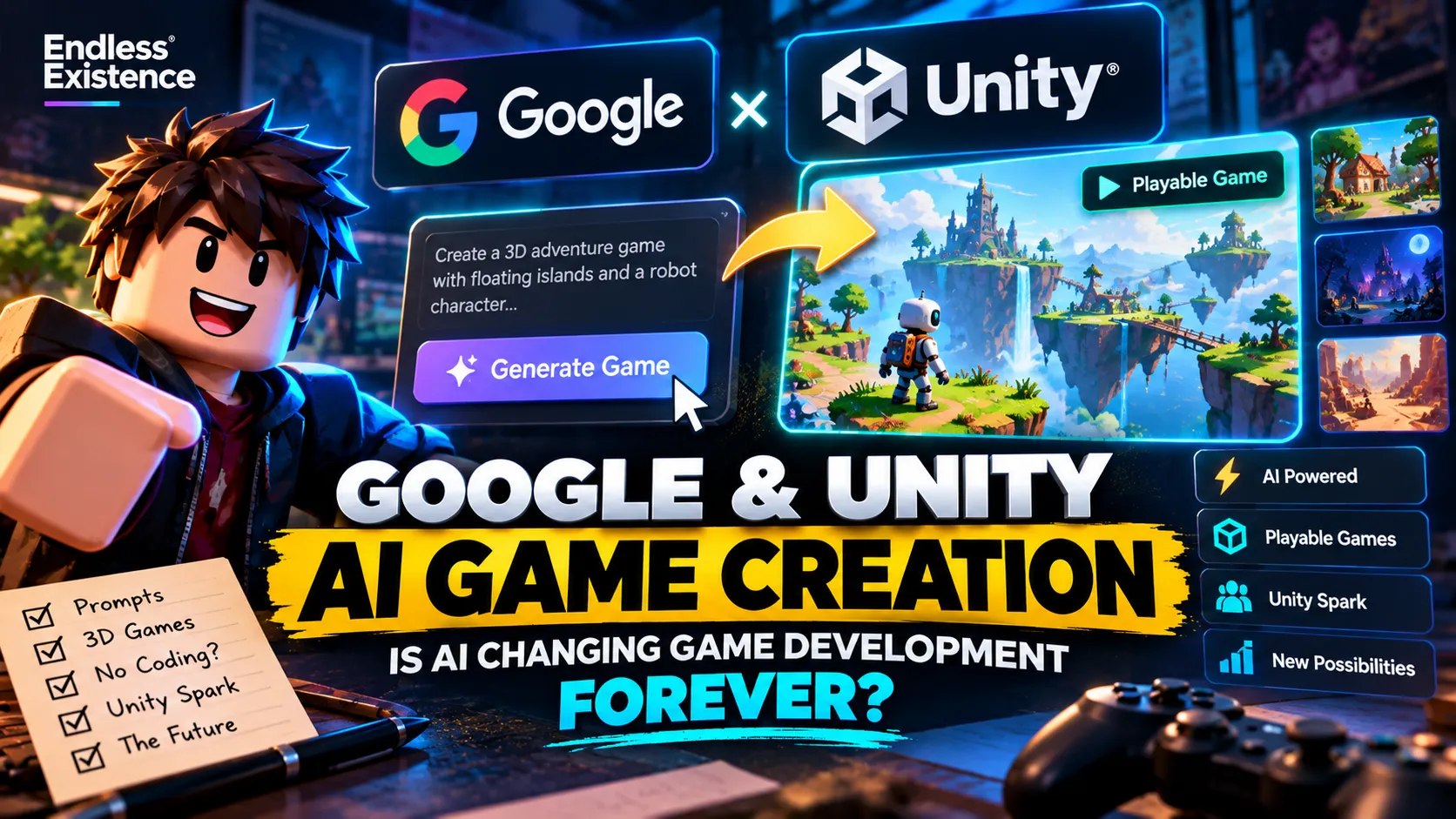
On October 7, 2026, Google and Unity announced a strategic partnership focused on making game creation more accessible through AI. The announcement introduced Google’s experimental Playground platform and outlined a more advanced creation experience called Unity Spark, planned for later in 2026.
The idea is straightforward: describe the game you want to create, generate a playable starting point, and refine it using AI-powered tools. As projects become more complex, the Unity ecosystem is intended to provide a path toward more sophisticated mechanics and higher-fidelity 3D experiences.
For indie developers, hobbyists, and experienced Unity programmers, this raises an important question: Will AI make game development easier, or will it change what developers need to learn?
The answer is more complicated than simply replacing coding with prompts.
In this article, we will explore Google’s Playground, Unity Spark, the current direction of AI-assisted game development, practical workflows for developers, and the limitations you should understand before building your next game with AI.
What Did Google and Unity Announce?
Google and Unity announced a partnership intended to combine Google’s AI technology and consumer ecosystem with Unity’s game-development technology.
The announcement introduced two connected products.
Google Playground: Create Playable Games With Prompts
Google’s experimental Playground platform allows users aged 18 and older to generate and customize playable games using natural-language prompts without traditional coding.
Instead of starting with an empty project and manually creating every component, a creator can describe a game concept and use the generated experience as a starting point.
For example, a prompt might describe a 3D platformer in which a robot jumps between floating islands, collects energy crystals, and unlocks new areas.
The important distinction is that Playground is intended to generate playable experiences, rather than simply producing an image or concept illustration.
Google’s announcement also describes community features, including sharing, likes, leaderboards, and multiplayer matchmaking through the platform’s integration with Google Play Games profiles.
You can explore the platform through the official Google Playground website.
Unity Spark: A More Advanced Creation Experience
Unity Spark is the expanded creation experience that Google and Unity announced for later in 2026.
According to Unity, the planned experience is intended to build on Playground’s accessible interface while supporting more sophisticated mechanics, higher-fidelity 3D capabilities, and the Unity runtime.
The longer-term idea is to provide a pathway from accessible, prompt-based experimentation toward more advanced interactive experiences.
However, the announcement should not be interpreted as proof that every Unity feature, production workflow, or complex game can already be generated automatically. The capabilities available in Playground today and the future capabilities planned for Unity Spark are different things.
For developers, the practical question is how these tools perform on real projects once their available features, limitations, and publishing requirements can be evaluated.
Read the original announcement: Google and Unity Partner on New AI Gaming Platform.
Why AI Game Creation Is Becoming a Major Trend
The Google–Unity announcement is part of a broader shift in game development.
AI tools have already been used for coding assistance, narrative design, concept art, asset creation, testing, and other development tasks. The next step is bringing more of these capabilities into connected workflows that help developers move from an idea to a playable prototype.
Unity’s 2026 Game Development Report provides useful context. Its survey of 300 developers found that coding assistance was the most commonly reported AI use case among respondents who used AI tools, followed by writing and narrative design and NPC behavior.
The report also found that developers were approaching AI pragmatically, with concerns about output quality, workflow changes, and player perceptions influencing adoption.
Source: Unity 2026 Game Development Report.
This suggests that the industry is not simply choosing between traditional development and fully AI-generated games. Many developers are exploring ways to use AI for particular tasks while retaining control over design, implementation, and quality.
For small teams, that distinction matters.
A solo developer may not need an AI system to build an entire game independently. They may benefit more from tools that reduce the time required to create a prototype, investigate a bug, generate test cases, or build an internal editor utility.
The best use of AI is often the one that removes a bottleneck without compromising the parts of development that require careful judgment.
How AI Game Creation Works
Traditional game development usually involves several interconnected stages:
- Designing the core gameplay loop.
- Creating scenes, levels, and assets.
- Implementing gameplay systems.
- Connecting input, physics, animation, and UI.
- Testing the game.
- Optimizing performance.
- Preparing builds for release.
AI-assisted tools can contribute to different stages of this process.
A prompt-based game creation platform attempts to connect several stages, generating a playable starting point from a description. Other tools focus on narrower tasks, such as generating code, creating textures, or assisting with debugging.
Consider a simple example.
You want to build a third-person survival game in which the player collects resources, constructs shelters, and avoids enemies at night.
A useful AI-assisted workflow could look like this:
| Stage | AI-assisted task | Developer responsibility |
|---|---|---|
| Concept | Generate and refine gameplay ideas | Select a feasible, distinctive concept |
| Prototype | Create a basic playable loop | Verify that the mechanics work |
| Environment | Suggest layouts and placeholder assets | Review readability and level design |
| Programming | Draft scripts and explain APIs | Validate logic and maintainability |
| Testing | Suggest test cases and edge cases | Run tests and confirm actual behavior |
| Optimization | Help investigate performance problems | Profile the game and verify improvements |
| Release | Draft descriptions and checklists | Review platform requirements and final quality |
The key is that AI output still needs evaluation. A generated mechanic may look plausible but fail under unusual input, multiplayer conditions, or real performance constraints.
AI can accelerate the creation of a starting point. It does not automatically establish that the resulting game is reliable.
Five Practical Ways Indie Developers Can Use AI Today
You do not need to wait for Unity Spark to experiment with AI-assisted development. Several useful workflows can be applied to existing game projects.
1. Build Prototypes Faster
One of the most valuable uses of AI is reducing the time between a gameplay idea and a playable experiment.
Suppose you want to test a game mechanic in which a player rotates a weapon to avoid obstacles while moving forward.
Rather than implementing an entire level, progression system, and menu structure first, focus on a minimal prototype:
- Player movement.
- Weapon rotation.
- Obstacle interaction.
- A simple success or failure condition.
- Basic visual feedback.
You can use an AI coding assistant to draft parts of the implementation, explain the relevant engine APIs, or suggest ways to structure the prototype.
Then test whether the mechanic is actually enjoyable.
If it is not, you have learned something before investing in a larger production.
Practical tip: Give AI a narrow, testable task rather than asking it to create a complete commercial game in one prompt.
2. Use AI for Coding Assistance
AI coding tools can help draft functions, explain unfamiliar APIs, identify likely bugs, and suggest refactoring approaches.
For example, you could ask an assistant to help implement a reusable object-pooling system in Unity.
A useful request would specify:
- The Unity version.
- The relevant C# classes.
- The intended behavior.
- Performance requirements.
- Constraints on allocations and object lifecycle.
- Expected edge cases.
After receiving the implementation, inspect how objects are created, reused, reset, and released.
Test the system in the actual project and profile it if performance matters.
AI-generated code should not be treated as correct simply because it compiles. It may introduce hidden allocations, incorrect lifecycle handling, race conditions, or assumptions that do not match your project.
3. Generate Placeholder Assets and Visual Concepts
AI image and 3D tools can help explore visual directions before you commit to final production assets.
You might generate several concepts for a futuristic environment, choose a consistent art direction, and create temporary assets for a prototype.
This can be particularly helpful when a small team does not have the resources to commission every concept during early development.
However, placeholder assets and production-ready assets are not interchangeable.
Final assets may require retopology, UV mapping, texture validation, consistent scale, collision setup, rigging, animation, and engine-specific optimization.
If you generate a 3D asset, check its topology, materials, texture references, and export settings before using it in Unity or another engine.
Also verify the applicable licensing terms and whether generated assets are suitable for your intended commercial use.
4. Improve Game Testing
Testing is another promising area for AI assistance.
A developer can ask an AI assistant to generate test scenarios for an inventory system, quest manager, dialogue system, or save/load implementation.
For an inventory system, possible cases include:
- Adding an item when the inventory has space.
- Adding an item when the inventory is full.
- Removing an item that does not exist.
- Handling duplicate items.
- Saving and loading inventory state.
- Recovering from invalid or missing save data.
AI can help identify cases that are easy to overlook during manual development.
However, suggested tests are not evidence that the game has passed those tests. You still need to execute them, inspect the results, and verify the behavior in the actual build.
Automated playtesting tools and AI-driven agents may eventually help cover more complex interactions, but their usefulness depends on their ability to observe, control, and evaluate the specific game.
5. Create Better Development Tools
AI can also help build small tools that improve the development process.
Examples include:
- Editor utilities for repetitive setup tasks.
- Script generators for consistent boilerplate.
- Documentation helpers.
- Asset validation tools.
- Build checklists.
- Data conversion scripts.
- Debugging dashboards.
These tasks are often less glamorous than generating an entire game, but they can save time across many projects.
For experienced developers, improving a repeated workflow may provide more long-term value than generating a one-off prototype.
Will AI Replace Traditional Game Developers?
AI will change some development tasks, but it is premature to conclude that traditional game developers will become unnecessary.
Generating a playable prototype is not the same as creating a polished, maintainable, commercially successful game.
A production game still needs decisions about:
- Game feel and control responsiveness.
- Difficulty progression.
- Level design.
- Performance budgets.
- Accessibility.
- Multiplayer synchronization.
- Save data and error recovery.
- Monetization and platform compliance.
- Art direction and consistency.
- Quality assurance.
These decisions depend on context, testing, and an understanding of the intended player experience.
A generated prototype might contain a working movement system, but making that movement feel satisfying can require substantial tuning.
A generated environment might look impressive, but it could have poor navigation, unclear objectives, or inefficient rendering.
A generated script might work in a simple test but fail when several systems interact.
Developers who understand the underlying systems will be better positioned to identify these problems and guide AI tools toward useful results.
The likely advantage is not simply knowing how to write prompts. It is knowing what to build, how to evaluate the result, and how to turn a prototype into a dependable product.
The Risks of Building Games With AI
AI-assisted development offers real opportunities, but there are several risks that developers should understand.
Inconsistent or Incorrect Output
Generated code may use outdated APIs, misunderstand project requirements, or produce systems that do not integrate cleanly.
Generated assets may contain visual inconsistencies, broken topology, or missing material references.
Review the output and validate it in your target environment.
Technical Debt
A quick prototype can become difficult to maintain if its architecture is poorly structured.
For example, generating several scripts independently may create duplicated logic, conflicting state management, or unnecessary dependencies.
Before expanding a successful prototype, review the architecture and establish clear responsibilities between systems.
Licensing and Ownership Questions
AI-generated content can raise questions about training data, source material, licenses, and commercial usage rights.
The applicable rules depend on the tool, its terms, the source material, and the relevant jurisdiction.
Keep records of asset sources, review commercial-use terms, and avoid assuming that every generated output is automatically free of legal or licensing concerns.
Privacy and Security
Do not blindly send proprietary source code, API keys, credentials, player information, or confidential business data to external AI services.
Understand the data-handling policies of the tools you use.
Generated scripts should also be reviewed for unsafe file operations, unintended network requests, exposed secrets, and other security problems.
The Risk of Generic Games
If everyone uses similar prompts and accepts the first generated result, many games may begin to feel alike.
AI can make it easier to create familiar mechanics, but it does not automatically provide a distinctive concept, meaningful progression, or a memorable player experience.
Use generated output as a starting point. Add original design decisions, coherent art direction, and mechanics that make your game recognizable.
A Practical AI-Assisted Workflow for Unity Developers
If you already use Unity, you can experiment with AI without rebuilding your entire workflow around a new platform.
Here is a practical approach.
Step 1: Define a Small Objective
Choose one mechanic or tool that can be implemented and tested independently.
For example, build a simple enemy patrol system rather than asking AI to create a complete open-world game.
Step 2: Establish the Constraints
Specify your Unity version, scripting language, project architecture, input system, and any relevant packages.
Tell the assistant what must remain unchanged.
Step 3: Generate the Smallest Useful Implementation
Request only the scripts or assets needed for the first version.
Avoid adding unrelated features before the core behavior works.
Step 4: Integrate and Test
Add the implementation to a test scene. Verify normal behavior, edge cases, and interactions with existing systems.
Use Unity’s Console, debugger, profiler, and test tools to investigate problems.
Step 5: Review the Architecture
If the prototype works, inspect whether the implementation is reusable, understandable, and maintainable.
Remove unnecessary complexity before expanding it.
Step 6: Measure the Benefit
Compare the AI-assisted approach with your normal workflow.
Did it reduce implementation time? Did debugging take longer? Was the result easier to maintain? Did it introduce additional review work?
The answers will help you decide which tasks are worth delegating to AI in future projects.
What This Means for Indie Developers
AI game creation tools may lower the barrier to experimentation, allowing more people to test game concepts without first mastering every part of a traditional development pipeline.
For indie developers, this creates both an opportunity and a challenge.
It may become easier to produce a playable prototype, but easier creation does not necessarily mean easier discovery, better game design, or greater commercial success.
If more people can create games quickly, developers may need to place even greater emphasis on originality, quality, marketing, and community building.
A sensible strategy is to use AI where it provides measurable value while continuing to develop the technical and creative skills required to ship games.
You do not need to adopt every new tool. Start with a real problem in your workflow, test whether AI helps solve it, and retain the tools that produce reliable improvements.
Frequently Asked Questions
Can AI create a complete game from a text prompt?
Some experimental platforms, including Google’s Playground, are designed to generate playable games from natural-language prompts. However, the complexity and quality of the result depend on the platform’s current capabilities.
Generating a playable starting point should not be confused with delivering a fully polished commercial game.
What is Unity Spark?
Unity Spark is an expanded AI-assisted game-creation experience announced by Google and Unity on October 7, 2026. Unity described it as a planned extension of the accessible Playground experience, intended to support more advanced mechanics and higher-fidelity 3D creation using the Unity runtime.
Consult the official announcement for the latest availability information.
Do I need programming skills to use AI game creation tools?
Some prompt-based tools are designed for people without traditional programming experience. However, programming knowledge remains valuable when debugging, extending, optimizing, or maintaining more complex games.
The skills required depend on the tool and the project’s scope.
Is AI-generated game content safe to use commercially?
Not automatically. Review the relevant tool’s terms, licensing conditions, source material requirements, and applicable laws. You should also validate technical quality and keep appropriate records of your assets.
Should experienced developers switch to prompt-based game creation?
Not necessarily. Experienced developers may gain more value from integrating AI into specific workflows, such as prototyping, coding assistance, automated testing, and editor tooling.
Evaluate tools based on the problems they solve rather than adopting them simply because they are new.
Conclusion
Google’s partnership with Unity highlights an important direction for game development: moving from AI tools that assist with individual tasks toward systems that help creators build and refine playable experiences.
Playground offers an experimental way to explore prompt-based game creation, while Unity Spark represents the planned expansion toward more advanced development capabilities.
For developers, the opportunity is worth exploring, but expectations should remain realistic.
AI can help accelerate experimentation, generate starting points, and reduce repetitive work. It cannot automatically guarantee good design, reliable code, optimized performance, or a successful launch.
The developers who benefit most will likely be those who combine AI’s speed with strong technical judgment and creative direction.
The future of game development may not belong to developers who generate the most content. It may belong to those who use new tools to turn better ideas into better games.