Roblox game development has evolved far beyond building simple worlds and writing a few Lua scripts. Modern Roblox experiences often include complex gameplay systems, multiplayer architecture, persistent data, advanced UI, monetization, analytics, and live operations.
As projects become more ambitious, choosing the right development tools becomes increasingly important.
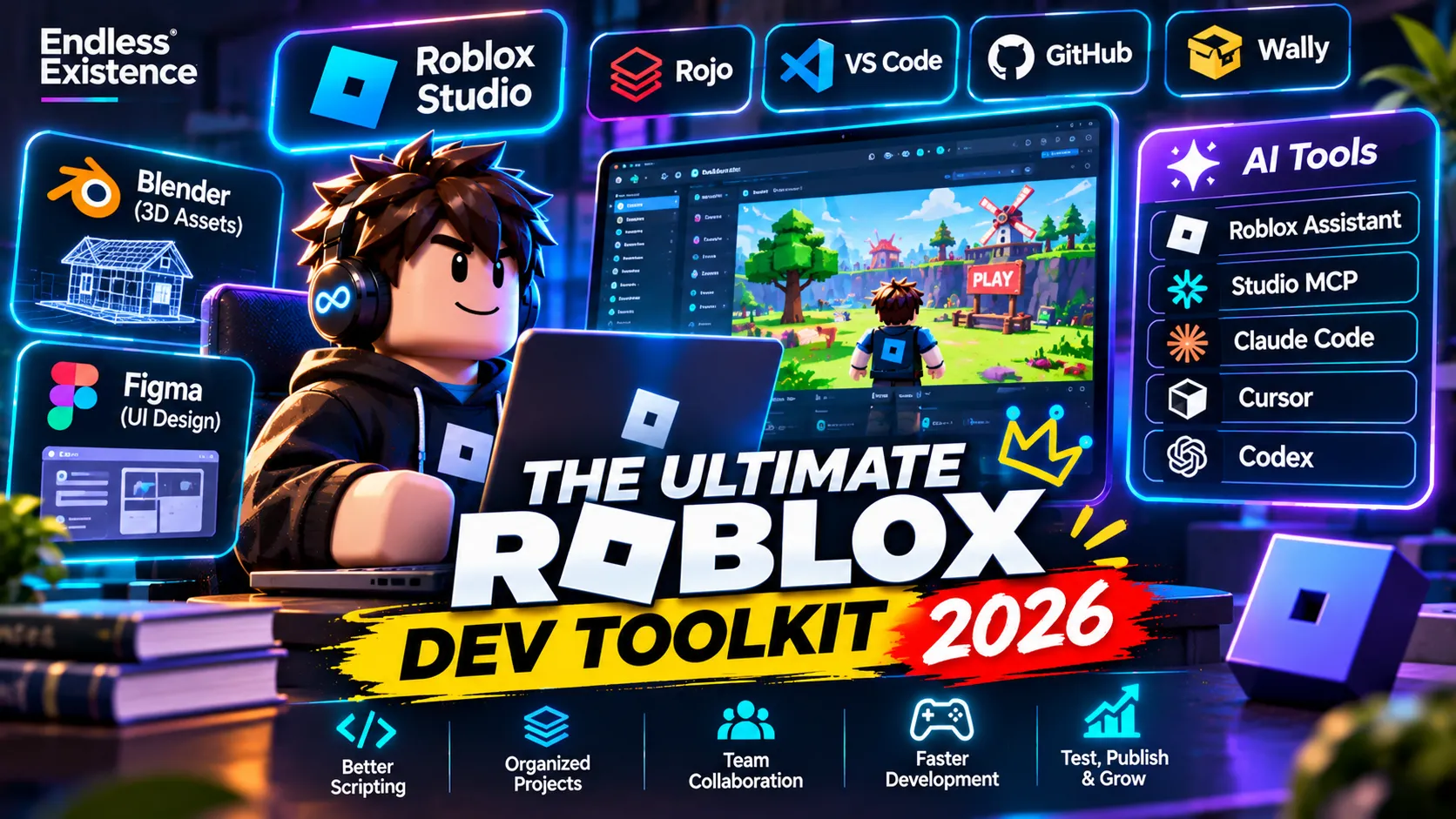
In 2026, developers have access to a powerful combination of traditional development software, professional coding tools, automated testing systems, asset creation applications, and AI-powered development assistants.
Whether you’re a beginner building your first Roblox experience, a solo developer working on a simulator, or a professional team creating a large multiplayer game, this guide covers the tools that can make your workflow faster, cleaner, and more reliable.
1. Roblox Studio – The Essential Development Environment
Best for: Building, scripting, testing, and publishing Roblox games.
Roblox Studio is the foundation of every Roblox development workflow. It provides an integrated environment for creating 3D worlds, writing Luau scripts, designing interfaces, configuring physics, testing multiplayer experiences, and publishing games.
Its built-in features include:
- 3D modeling and terrain tools.
- Script Editor with syntax highlighting and autocomplete.
- Explorer and Properties panels.
- Animation Editor.
- UI design tools.
- Device emulation and playtesting.
- Team Create for collaboration.
- Integrated publishing.
Roblox Studio has also become significantly more powerful with its AI Assistant and MCP integration.
Why you need it:
Even if you write code in an external editor, Roblox Studio remains the environment where your game runs. You need it to inspect the DataModel, test gameplay, debug behavior, and verify the final experience.
Website: https://create.roblox.com/
2. Visual Studio Code – A Better Coding Environment
Best for: Professional scripting, project organization, and working with external development tools.
Roblox Studio’s Script Editor is useful, but larger projects can benefit from a dedicated code editor.
Visual Studio Code (VS Code) offers a flexible development environment with extensions for Luau, Git, formatting, static analysis, and AI-assisted programming.
Recommended extensions and tools:
- Luau Language Server: Autocomplete, diagnostics, type information, and code navigation.
- StyLua: Automatically formats Luau code.
- Selene: Detects potential code problems and enforces coding standards.
- GitLens: Makes Git history and code changes easier to understand.
- Rojo: Connects your filesystem-based project to Roblox Studio.
A useful advantage is that your scripts can live in organized folders instead of being scattered across the Studio Explorer.
My recommendation: Use VS Code for everyday scripting and Roblox Studio for building, testing, and inspecting the game.
Website: https://code.visualstudio.com/
3. Rojo – Professional Roblox Project Management
Best for: Medium-to-large projects, teams, and developers who prefer filesystem-based development.
Rojo is one of the most important tools in a professional Roblox development workflow.
It allows developers to manage Roblox projects using files and folders on their computers, then synchronize those files with Roblox Studio.
For example, instead of keeping every script inside Studio, you can organize your project like this:
MyRobloxGame/
│
├── src/
│   ├── ReplicatedStorage/
│   │   ├── Shared/
│   │   └── Config/
│   │
│   ├── ServerScriptService/
│   │   ├── Services/
│   │   └── Controllers/
│   │
│   └── StarterPlayer/
│       └── StarterPlayerScripts/
│
├── default.project.json
├── wally.toml
└── README.md
This makes it easier to:
- Organize large codebases.
- Use Git and other version-control systems.
- Work with external editors.
- Review code changes.
- Collaborate with other developers.
- Integrate automated development tools.
Rojo is particularly useful when building modular games with separate services, controllers, shared modules, and configuration files.
Important: Rojo does not replace Roblox Studio. It complements Studio by providing a more structured project workflow.
Website: https://rojo.space/
4. AI Development Tools – The Biggest Workflow Change in 2026
Best for: Faster scripting, debugging, planning, refactoring, and automating repetitive development tasks.
AI-assisted development has become a major part of the Roblox ecosystem.
However, the biggest change is not simply that AI can generate Luau scripts. Developers can now connect AI coding agents directly to Roblox Studio and let them interact with an actual game project.
Roblox Studio Assistant
Roblox Assistant is integrated into Studio and can help developers:
- Generate and modify scripts.
- Explain existing code.
- Create and modify objects.
- Generate materials and 3D content.
- Automate repetitive tasks.
- Assist with testing and development.
It is a convenient starting point because it understands the Roblox development environment.
Roblox Studio MCP Server
One of the most interesting additions is Roblox Studio’s built-in Model Context Protocol (MCP) server.
MCP allows compatible AI clients to communicate with an open Studio session.
Depending on the available tools and permissions, an AI agent can:
- Read existing scripts.
- Search through a project’s scripts.
- Edit multiple scripts.
- Inspect the DataModel.
- Create and modify instances.
- Run Luau code.
- Interact with playtesting workflows.
Roblox documents quick-connect support for clients including Antigravity, Codex CLI, Claude Code, Claude Desktop, Cursor, Gemini CLI, and Visual Studio Code.
This means you can use an external AI coding agent while keeping Roblox Studio as the actual development environment.
Recommended AI coding tools
| Tool | Best use |
|---|---|
| Cursor | AI-assisted code editing and project-wide changes |
| Claude Code | Multi-step coding, debugging, and refactoring |
| OpenAI Codex | Agent-based software development |
| Google Gemini CLI | Terminal-based AI development workflows |
| Roblox Assistant | Roblox-specific help directly inside Studio |
A practical example:
Imagine you are developing a simulator with inventory, quests, pets, upgrades, and multiplayer systems.
Instead of asking AI to generate the entire game in one prompt, you can ask it to:
- Inspect the existing project structure.
- Understand the current service architecture.
- Plan a new inventory system.
- Implement the system in separate modules.
- Check for errors and integration problems.
- Run playtests.
- Fix issues and verify the result.
This is a much more useful workflow than blindly copying generated scripts.
Important: AI-generated code still requires human review. Agents can misunderstand requirements, introduce bugs, or modify unrelated systems. Keep version control enabled and review changes before accepting them.
Official guide: https://create.roblox.com/docs/studio/mcp
5. Wally – Luau Package Manager
Best for: Managing reusable libraries and dependencies.
As a Roblox project grows, developers often need reusable packages for networking, data management, UI, utilities, and other systems.
Wally helps manage these dependencies.
Instead of manually copying third-party libraries into every project, you can define dependencies in a configuration file and manage them through a consistent package workflow.
Benefits include:
- Cleaner dependency management.
- Easier package updates.
- Reusable development libraries.
- Better project organization.
- More predictable team workflows.
For developers building modular Roblox games, Wally can make a significant difference.
Website: https://wally.run/
6. StyLua and Selene – Keep Your Code Clean
Best for: Code quality, consistency, and catching common mistakes.
These two tools solve different problems and work especially well together.
StyLua
StyLua is a code formatter. It automatically formats your Luau scripts according to consistent style rules.
It helps maintain:
- Consistent indentation.
- Readable code structure.
- Standard formatting.
- Cleaner code reviews.
Selene
Selene is a static analysis tool for Lua and Luau development.
It can identify potential issues before you run your game.
For example, it can help detect:
- Unused variables.
- Suspicious code patterns.
- Possible mistakes.
- Violations of configured linting rules.
Why use both?
StyLua improves how your code looks. Selene helps identify problems in how your code is written.
Together, they make a strong foundation for maintaining a professional Roblox codebase.
7. Git and GitHub – Version Control Is Not Optional
Best for: Backups, collaboration, tracking changes, and managing larger projects.
One of the biggest mistakes in Roblox development is working on a large project without proper version control.
Imagine spending weeks developing a multiplayer system. You make a few changes, something breaks, and you cannot easily restore the previous working version.
Git solves this problem.
With Git, you can:
- Track every important code change.
- Restore earlier versions.
- Create separate development branches.
- Review changes before merging.
- Collaborate with other developers.
- Maintain a reliable project history.
GitHub provides remote repositories and collaboration features on top of Git.
A recommended workflow:
- Create a Git repository.
- Connect your Rojo project.
- Commit working features regularly.
- Use branches for major changes.
- Review and test before merging.
For serious Roblox projects, version control should be part of the workflow from the beginning.
Websites:
- Git: https://git-scm.com/
- GitHub: https://github.com/
8. Blender – 3D Modeling and Asset Creation
Best for: Custom environments, props, characters, and 3D assets.
Roblox Studio includes useful building tools, but Blender provides much more control over 3D asset creation.
You can use Blender to create:
- Custom buildings and environments.
- Furniture and props.
- Weapons and equipment.
- Characters and accessories.
- Low-poly and stylized assets.
- Optimized game-ready meshes.
A common workflow is:
- Model the asset in Blender.
- Create UVs and materials.
- Optimize geometry.
- Export the model.
- Import it into Roblox Studio.
- Configure materials, collision, and other properties.
A useful tip: Do not optimize only for visual quality. Roblox experiences need to perform well across different devices, including lower-end mobile hardware.
Website: https://www.blender.org/
9. Substance 3D Painter and Other Texturing Tools
Best for: Creating professional materials and textures.
Blender is excellent for modeling, but specialized texturing applications can make asset production easier.
Adobe Substance 3D Painter is useful for creating detailed textures and material maps for 3D assets.
Other options include:
- Blender’s built-in texture painting.
- Adobe Photoshop for 2D texture editing.
- Material generators available in Roblox Studio.
- Roblox-compatible texture and material workflows.
For stylized Roblox games, you do not always need expensive texturing software. A consistent art direction and optimized materials often matter more than extremely detailed textures.
Website: https://www.adobe.com/products/substance3d.html
10. UI Design Tools – Figma and Photoshop
Best for: Designing polished game interfaces before implementing them.
A good Roblox game needs more than functional gameplay. Its interface should be clear, attractive, and easy to use.
Figma is excellent for designing:
- Main menus.
- Inventory systems.
- Shop interfaces.
- Upgrade panels.
- Quest systems.
- HUD layouts.
- Mobile-friendly UI.
Photoshop is useful for creating and editing individual graphical assets, icons, backgrounds, and textures.
A practical workflow:
- Design the interface in Figma.
- Export individual assets.
- Import them into Roblox Studio.
- Build the interface using ScreenGui and UI components.
- Test different screen sizes.
- Refine spacing, scaling, and readability.
Websites:
- Figma: https://www.figma.com/
- Adobe Photoshop: https://www.adobe.com/products/photoshop.html
11. Moonwave – Generate Documentation for Your Code
Best for: Modular projects, reusable libraries, and development teams.
Documentation becomes increasingly important when a project contains many services, controllers, modules, and shared systems.
Moonwave is a documentation generator for Lua and Luau projects.
It can turn structured comments and annotations into readable documentation.
This is particularly useful when:
- Multiple developers work on the same project.
- You maintain reusable modules.
- Your architecture contains many services.
- You want to make your code easier to understand.
- You need documentation for future maintenance.
Website: https://eryn.io/moonwave/
12. Creator Dashboard – Analytics and Game Performance
Best for: Understanding player behavior and improving a published experience.
Publishing a game is not the end of development.
You need to understand how players interact with your experience.
Roblox Creator Dashboard provides access to important experience information, including analytics and performance-related metrics.
Use it to evaluate:
- Player engagement.
- Retention.
- Monetization.
- Acquisition.
- Experience performance.
For example, if players leave shortly after joining, the problem may be your onboarding process, tutorial, loading time, or initial gameplay loop.
Analytics help you make decisions based on actual player behavior rather than assumptions.
Website: https://create.roblox.com/dashboard/
13. Testing and Debugging Tools
Best for: Finding gameplay bugs, multiplayer issues, and performance problems.
A game that works for one player in Studio may behave differently when multiple players join.
Testing should cover more than whether a script runs without errors.
Useful built-in tools and workflows include:
- Studio multi-client testing.
- Output and Developer Console.
- MicroProfiler.
- Script Analysis.
- Device emulation.
- Automated playtesting through supported AI workflows.
For multiplayer games, test:
- Server and client communication.
- RemoteEvent validation.
- Data saving and loading.
- Player joining and leaving.
- Respawning.
- Matchmaking and team assignment.
- Network latency and unexpected player behavior.
Remember: AI can help generate test cases and automate parts of testing, but real gameplay testing is still essential.
The Best Roblox Development Stack in 2026
You do not need every tool listed in this article. The best stack depends on the size and complexity of your project.
Here are three practical setups.
Beginner Setup
| Purpose | Tool |
|---|---|
| Game development | Roblox Studio |
| Scripting | Studio Script Editor |
| AI assistance | Roblox Assistant |
| 3D modeling | Blender |
| UI design | Figma |
| Version control | GitHub Desktop |
Intermediate / Solo Developer Setup
| Purpose | Tool |
|---|---|
| Game development | Roblox Studio |
| Code editor | VS Code |
| Project management | Rojo |
| AI assistance | Cursor or Claude Code |
| Code formatting | StyLua |
| Static analysis | Selene |
| Dependencies | Wally |
| Version control | Git + GitHub |
| 3D modeling | Blender |
| UI design | Figma |
Professional / Team Setup
| Purpose | Tool |
|---|---|
| Game development | Roblox Studio |
| Code editor | VS Code / Cursor |
| Project synchronization | Rojo |
| AI agent integration | Studio MCP |
| AI coding | Claude Code / Codex / Cursor |
| Code quality | StyLua + Selene |
| Dependencies | Wally |
| Version control | Git + GitHub |
| Documentation | Moonwave |
| 3D assets | Blender |
| UI and graphics | Figma + Photoshop |
| Analytics | Creator Dashboard |
| Testing | Studio testing + automated workflows |
How to Build a Modern Roblox Development Workflow
Having the right tools is only half the job. You also need a workflow that makes them work together.
Here is a practical development pipeline:
Step 1 – Plan the game
Write down the gameplay loop, core mechanics, progression, multiplayer requirements, and technical architecture.
Step 2 – Create the project structure
Use Rojo to organize scripts and modules into a maintainable filesystem-based project.
Step 3 – Develop the systems
Use VS Code, Luau Language Server, and AI coding tools to implement gameplay systems.
Step 4 – Connect AI to Roblox Studio
Use the built-in Studio MCP server to let compatible AI agents inspect, modify, and test your project.
Step 5 – Create assets
Use Blender for custom 3D models and Figma or Photoshop for UI assets.
Step 6 – Test everything
Test gameplay with multiple clients, inspect server behavior, check performance, and verify data persistence.
Step 7 – Track changes
Use Git to save stable milestones and make it possible to recover from mistakes.
Step 8 – Publish and analyze
Publish through Roblox Studio and use Creator Dashboard to understand player engagement and improve the experience.
Common Mistakes When Choosing Roblox Development Tools
Even experienced developers can make their workflow unnecessarily complicated.
Avoid these mistakes:
- Installing too many tools too early: Start with a small stack and add tools when a real problem appears.
- Ignoring version control: A project without Git becomes harder to maintain as it grows.
- Trusting AI-generated code blindly: Always review, test, and understand important code.
- Using external tools without understanding synchronization: Learn how Rojo and Studio work together before modifying a large project.
- Ignoring mobile performance: Roblox players use a wide range of devices.
- Overengineering small projects: A simple game does not need a complex enterprise-level architecture.
- Skipping multiplayer testing: Server-client behavior must be verified under realistic conditions.
Final Thoughts
Roblox game development in 2026 is becoming more professional, automated, and accessible.
Roblox Studio remains the foundation, but tools such as Rojo, VS Code, Git, Wally, Blender, and AI coding agents can transform the way developers build and maintain games.
The most important lesson is not to use the largest number of tools. It is to choose a development stack that helps you create better games, maintain cleaner code, and spend more time improving the actual player experience.
For beginners, start with Roblox Studio and gradually expand your workflow. For experienced developers, combining Rojo, Git, code-quality tools, and Roblox Studio’s MCP integration can provide a powerful modern development environment.
The best Roblox development toolkit is the one that helps you build, test, improve, and ship better games consistently.
Frequently Asked Questions
1. What is the best software for Roblox game development?
Roblox Studio is the essential development software. For larger projects, VS Code, Rojo, Git, and AI coding tools can improve the workflow.
2. Is VS Code better than Roblox Studio for scripting?
VS Code offers a more flexible external development environment, especially when combined with Luau Language Server, Rojo, and Git. However, Roblox Studio is still essential for testing and interacting with the game.
3. What is Rojo in Roblox development?
Rojo is a project management and synchronization tool that lets developers organize Roblox scripts as files and sync them with Roblox Studio.
4. Can AI build a complete Roblox game?
AI can help plan, script, generate assets, modify projects, and automate testing. However, a developer still needs to define the design, review code, solve complex problems, and validate the finished game.
5. What is Roblox Studio MCP?
Roblox Studio MCP is a built-in server that allows compatible AI clients to communicate with an open Roblox Studio session and perform supported development tasks.
6. Is Blender necessary for Roblox development?
No. Roblox Studio has built-in building tools. Blender becomes useful when you need custom models, more detailed assets, or greater control over your 3D production pipeline.
7. What tools should a beginner Roblox developer learn first?
Start with Roblox Studio, Luau, and Git. Learn Blender and Figma as your projects require custom 3D assets and interfaces. Add Rojo and external AI tools when you are comfortable with the basics.