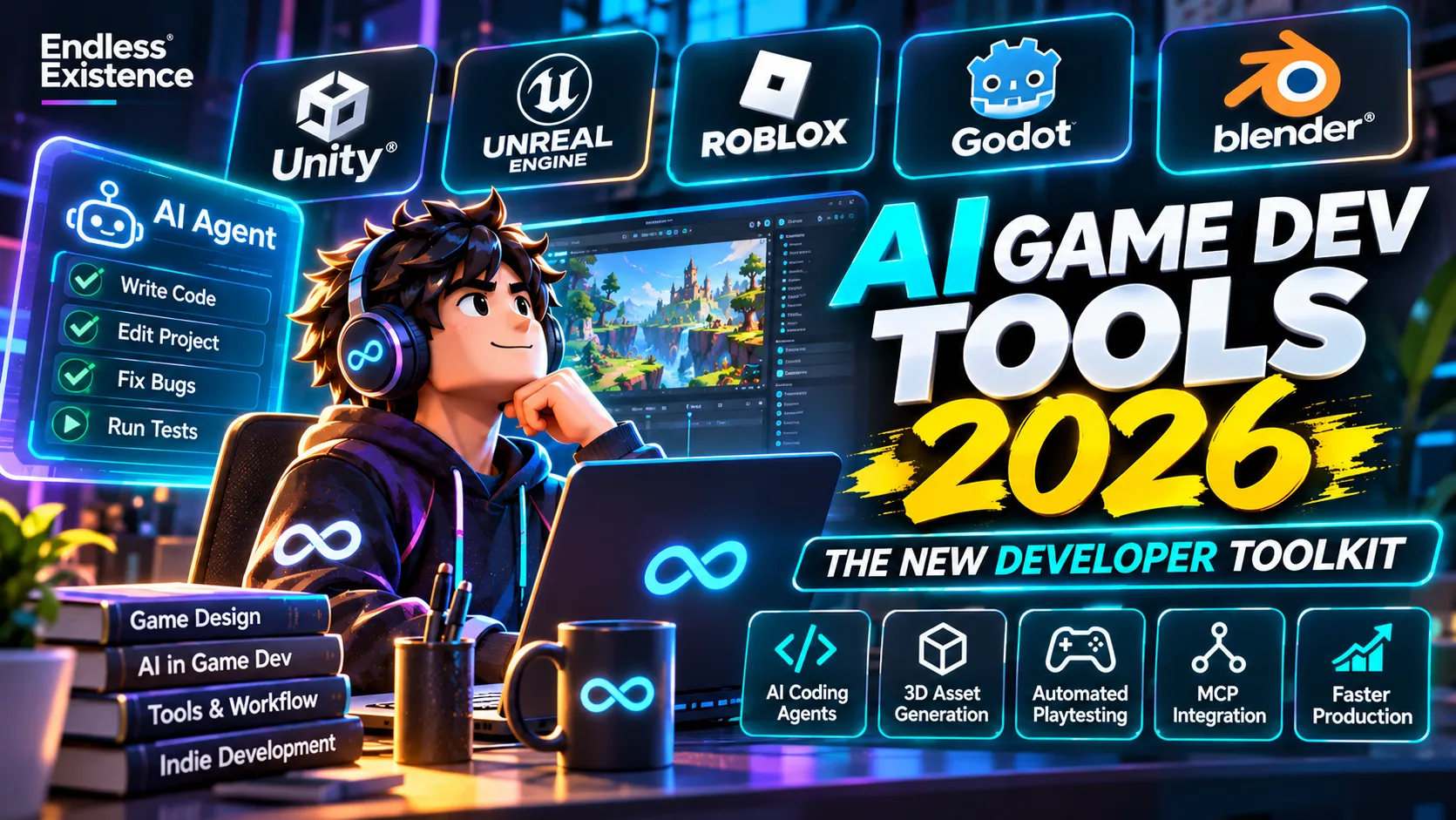
Best AI Game Development Tools in 2026: The Ultimate Toolkit for Modern Game Developers
From AI coding agents and MCP integrations to automated playtesting and 3D asset generation, discover the tools transforming game development in 2026.
Game development is changing rapidly. Not because traditional game engines are disappearing, but because AI is becoming part of the development environment itself.
In the past, developers typically used AI by copying code into a chatbot, asking for a solution, and manually transferring the result into their game engine. That workflow is evolving.
In 2026, AI assistants can increasingly understand project structures, inspect scenes, modify scripts, interact with editors, generate assets, and help test gameplay. Instead of simply answering questions, some tools can participate in actual development workflows.
But which tools are genuinely useful? Which ones are ready for production? And which ones are still experimental?
This guide explores the most relevant AI-powered game development tools in 2026, alongside the traditional software that developers still need to build professional games.
1. The State of AI in Game Development in 2026
AI adoption in game development is growing, but the industry is more complicated than the headlines suggest.
According to the 2026 State of the Game Industry report by the Game Developers Conference (GDC), based on a survey of more than 2,300 industry professionals:
- 36% of respondents use generative AI tools as part of their work.
- Among AI users, 47% use AI for code assistance.
- 81% of AI users use these tools for research or brainstorming.
- 35% use AI for prototyping.
- Only 19% reported using AI for asset generation.
- 52% of respondents believe generative AI is having a negative impact on the game industry.
These figures reveal an important distinction: developers are more comfortable using AI to support their workflow than handing over creative production entirely to AI.
Unity’s 2026 Game Development Report offers another perspective. Its survey of 300 developers found that 73% of surveyed studios using AI reported improved efficiency, while 62% reported enhanced decision-making.
The two reports measure different populations and questions, so their percentages should not be directly compared. However, both suggest that AI is becoming a practical development tool, even as concerns about its creative and industry-wide impact remain significant.
The biggest opportunity in 2026 is not replacing developers. It is helping developers build, test, and iterate more efficiently.
2. AI Coding Agents: A Major Shift in Game Development
AI coding assistants are no longer limited to autocomplete and code suggestions.
A new category of tools, commonly called AI coding agents, can work across multiple files, inspect codebases, make coordinated changes, run commands, and help investigate errors.
For game developers, this is particularly valuable because game projects contain interconnected systems: gameplay controllers, inventory, UI, save systems, networking, animation, and more.
Claude Code
Website: https://claude.com/product/claude-code
Claude Code is an agentic coding tool designed to work with entire software projects rather than just individual code snippets.
Useful capabilities include:
- Understanding project structures.
- Reading and modifying multiple scripts.
- Implementing features across related files.
- Investigating bugs.
- Running development commands and tests.
- Working with Git and other development tools.
Game development example:
Imagine asking Claude Code to implement an inventory system in a Unity project.
Rather than generating one isolated script, you can ask it to inspect the existing architecture, identify relevant systems, implement the inventory data model, connect it to the UI, and suggest tests.
You still need to review the architecture and verify the implementation inside Unity.
Best for: Unity, Unreal C++, Godot, Roblox-related external codebases, and larger multi-file projects.
Cursor
Website: https://cursor.com/
Cursor is an AI-powered code editor that combines traditional development features with AI-assisted coding.
Its strengths include:
- Codebase-aware assistance.
- Multi-file editing.
- Agent-based development.
- Code explanation and refactoring.
- Bug investigation.
- Project-wide search and modification.
Cursor is useful when you want an AI assistant to understand how different parts of your game project connect.
For example, you can ask it to trace how a player earns coins, identify every system involved, and suggest a safe way to implement a new reward multiplier.
Best for: Indie developers and small teams working with large codebases.
GitHub Copilot
Website: https://github.com/features/copilot
GitHub Copilot has evolved beyond simple code completion into a broader AI-assisted development environment.
Depending on the selected plan and supported editor, it offers:
- Code suggestions.
- Chat-based assistance.
- Agent mode.
- Repository-aware coding support.
- Code review assistance.
- Integration with GitHub workflows.
It is particularly useful for developers who already use GitHub for source control and collaboration.
Best for: Developers who want AI assistance integrated into an established Git and IDE workflow.
OpenAI Codex
Website: https://openai.com/codex/
Codex is OpenAI’s coding agent for delegating software engineering tasks.
It can work on coding tasks, analyze repositories, modify files, and assist with implementation and testing workflows.
For game developers, possible applications include:
- Implementing isolated gameplay systems.
- Refactoring existing code.
- Investigating bugs.
- Creating automated tests.
- Reviewing pull requests.
- Working on separate development tasks in parallel.
The important consideration is task boundaries. An agent should receive a clearly defined objective, relevant project context, and instructions about which systems it may modify.
Best for: Developers who want to delegate well-scoped engineering tasks rather than use AI only for autocomplete.
AI coding tools comparison
| Tool | Main strength | Ideal workflow |
|---|---|---|
| Claude Code | Agentic coding and project-wide changes | Multi-file engineering tasks |
| Cursor | AI-native code editing | Daily coding and refactoring |
| GitHub Copilot | IDE and GitHub integration | Coding assistance and reviews |
| OpenAI Codex | Delegated coding tasks | Parallel engineering work |
No single tool is universally superior. Your preferred editor, model access, pricing, context requirements, and project complexity should influence the choice.
3. MCP: Connecting AI Agents Directly to Game Engines
One of the most interesting developments in 2026 is the growing use of the Model Context Protocol (MCP).
MCP is an open protocol that allows compatible AI clients to communicate with external applications and tools.
Why does this matter for game development?
Consider a typical workflow:
- You encounter an error inside Unity.
- You copy the error message.
- You paste it into an AI chatbot.
- You provide the relevant script.
- You receive a suggested fix.
- You manually update the project.
- You return to Unity to test it.
Now imagine an AI agent that can inspect your project, read the console, examine the relevant scripts, make an approved change, and help verify the result.
That is the potential of an engine-connected workflow.
Unity MCP Server
Official documentation: https://unity.com/blog/unity-ai-mcp-how-to-get-started
Unity introduced its AI tools in beta with an MCP Server that allows compatible external AI agents to interact with a running Unity Editor.
The documented workflow includes access to project context such as:
- Scene hierarchies.
- GameObjects and component values.
- Scripts and project information.
- Console messages.
- Editor actions.
Unity’s documentation describes integrations with tools such as Claude Code, Cursor, Windsurf, and VS Code Copilot.
Example workflow:
You ask an AI agent:
“Inspect the current Unity scene and identify why the player character is not receiving damage when entering the enemy attack zone.”
The agent can inspect relevant project information, investigate scripts, and help make a targeted fix.
Unity’s AI tools remain in beta, so availability, functionality, and pricing can change. Check the current documentation before adopting them in a production pipeline.
Roblox Studio MCP Server
Official documentation: https://create.roblox.com/docs/studio/mcp
Roblox has taken an especially interesting approach by integrating MCP directly into Roblox Studio.
A compatible AI client can interact with an open Studio session.
Documented capabilities include:
- Reading scripts.
- Searching across scripts.
- Editing multiple scripts.
- Running Luau code.
- Interacting with the game’s data model.
- Generating meshes and materials.
- Creating procedural models.
- Running playtests.
Roblox lists supported quick-connect clients including Claude Code, Codex CLI, Claude Desktop, Cursor, Gemini CLI, Antigravity, and Visual Studio Code.
This is particularly valuable for Roblox developers who prefer writing code outside Studio but still need direct access to the live project.
Roblox also reports that 44% of its top 1,000 creators used Roblox Assistant or third-party AI tools through MCP during the measured period in March–April 2026. This figure applies specifically to that group and period, not all Roblox creators.
Best for: Roblox developers working with structured Luau projects, Rojo, Git, and external coding agents.
Unreal Engine MCP
Official documentation: https://dev.epicgames.com/documentation/unreal-engine/ai-features-tools-and-plugins-in-unreal-engine
Unreal Engine’s AI ecosystem includes editor assistance, MCP-compatible workflows, and tools for working with procedural content generation.
The Unreal documentation also covers workflows connecting LLMs with the Procedural Content Generation (PCG) framework.
Potential applications include:
- Creating and modifying editor content.
- Automating repetitive editor operations.
- Working with procedural environments.
- Searching project content.
- Supporting technical workflows through connected agents.
Some functionality depends on the engine version, plugins, and integration being used. Not every MCP integration is an official Epic feature.
What about Godot?
Godot has a growing ecosystem of community-built AI integrations.
One example is Ziva AI, available through the Godot Asset Store:
https://store.godotengine.org/asset/ziva/ziva
It advertises AI-assisted GDScript development, scene editing, shader workflows, and debugging through project-aware integrations.
However, it is a third-party product, not an official Godot engine feature. Check its compatibility, permissions, and maintenance before relying on it.
4. AI-Powered Game Asset Generation
Creating 3D models, textures, environments, and characters can consume a significant portion of an indie developer’s production time.
AI-assisted asset generation offers another way to accelerate prototyping and concept exploration.
Meshy AI
Website: https://www.meshy.ai/
Meshy focuses on AI-assisted 3D asset creation.
Its workflows include generating 3D models from text and images, as well as texturing and other asset-production features.
Potential applications:
- Creating prototype props.
- Exploring environment concepts.
- Generating background objects.
- Testing visual directions.
- Creating starting points for further modeling.
Generated assets may still require topology cleanup, UV adjustments, material corrections, collision setup, and optimization before entering a production game.
Tripo AI
Website: https://www.tripo3d.ai/
Tripo offers AI-assisted 3D generation from prompts and reference images.
It can be useful for rapid asset exploration, concept development, and creating initial models.
Do not assume that every generated mesh is automatically suitable for real-time rendering. Inspect polygon counts, UVs, textures, topology, and export quality.
Adobe Firefly
Website: https://www.adobe.com/products/firefly.html
Adobe Firefly provides generative creative tools that can support visual production.
Game developers can use it for:
- Concept exploration.
- Promotional artwork.
- Visual references.
- Texture and image editing workflows.
- Early-stage art direction.
It is not a replacement for a complete game asset pipeline.
Scenario
Website: https://www.scenario.com/
Scenario focuses on AI-powered asset generation and workflows for game production.
It is particularly relevant to teams interested in maintaining consistent visual styles across generated game assets.
Before using generated content in a commercial release, review the platform’s licensing terms and your team’s requirements for asset provenance and consistency.
Blender: Still Essential in an AI Workflow
Website: https://www.blender.org/
AI asset generation does not make Blender obsolete.
In fact, Blender becomes even more valuable when used alongside AI tools.
A practical workflow might look like this:
- Generate a rough 3D concept using an AI tool.
- Import the result into Blender.
- Clean up topology and geometry.
- Fix UVs and materials.
- Adjust scale and pivot points.
- Create appropriate LODs and collision meshes.
- Export to Unity, Unreal, or Roblox Studio.
- Test performance inside the actual game.
AI can help create a starting point. Blender gives artists and developers control over the final asset.
5. AI for Game Design, Documentation, and Production Planning
Not every useful AI tool needs to generate code or 3D models.
Some of the most valuable applications involve planning, analysis, and communication.
ChatGPT
Website: https://chatgpt.com/
ChatGPT can support several stages of game development:
- Brainstorming game mechanics.
- Writing and reviewing GDDs.
- Analyzing gameplay loops.
- Creating technical specifications.
- Explaining complex programming concepts.
- Generating test cases.
- Reviewing balance calculations.
- Producing documentation.
For example, you could ask ChatGPT to analyze a game’s progression system and identify where players might experience repetitive gameplay or an unbalanced difficulty curve.
The quality of the result depends heavily on the context you provide.
Google Gemini
Website: https://gemini.google.com/
Gemini can assist with research, code explanations, planning, and working with supported large-context inputs.
It can be useful when analyzing lengthy technical documentation, comparing system designs, or reviewing large amounts of project information.
NotebookLM
Website: https://notebooklm.google.com/
NotebookLM is particularly useful for research and documentation-heavy projects.
You can provide supported reference documents and use them to investigate questions about your own materials.
For example, a developer could organize:
- Game Design Documents.
- Technical documentation.
- Feature specifications.
- Playtest feedback.
- Production notes.
This can make it easier to find decisions and requirements across a growing project.
Important: AI-generated design documents are starting points, not substitutes for actual gameplay testing.
6. AI-Powered Testing and Debugging
Testing is one of the most promising areas for AI-assisted game development.
Traditional testing often relies on manually checking gameplay scenarios, writing automated tests, and reviewing logs.
AI agents can potentially help by executing defined scenarios, analyzing failures, and suggesting corrections.
Roblox Assistant Playtesting
Roblox has been expanding agentic playtesting capabilities.
Its April 2026 announcement described a playtesting agent beta that can analyze code and the data model, inspect logs, and use the player character as an automated QA tester to verify behavior against an original plan.
This is an interesting direction because an AI system can compare intended functionality with observed behavior rather than simply generating code.
Unity Test Framework
Documentation: https://docs.unity3d.com/Packages/com.unity.test-framework@latest
Unity Test Framework supports automated testing through Edit Mode and Play Mode tests.
AI agents can help developers write tests, investigate failures, and suggest fixes.
However, the framework itself is not an AI testing agent. The testing and verification systems still need to be configured correctly.
Unreal Automation Testing
Documentation: https://dev.epicgames.com/documentation/en-us/unreal-engine/automation-test-framework-in-unreal-engine
Unreal Engine includes an automation testing framework that developers can use to test engine functionality and project-specific systems.
AI can help write and analyze tests, but reliable test coverage still requires carefully designed scenarios.
What should developers automate?
Consider testing:
- Player movement and controls.
- Inventory operations.
- Save and load functionality.
- Combat and damage calculations.
- Mission completion.
- UI interactions.
- Multiplayer edge cases.
- Level transitions.
The best results come from combining automated testing with human playtesting. An AI agent may confirm that a feature technically works while completely missing that it feels frustrating or uninteresting.
7. Traditional Game Development Tools You Still Need
AI tools are becoming increasingly important, but they do not replace the fundamental software used to build games.
A modern development pipeline still needs reliable production tools.
| Category | Recommended tools | Purpose |
|---|---|---|
| Game engines | Unity, Unreal, Godot | Gameplay and rendering |
| 3D modeling | Blender, Maya | Models and animation |
| Texturing | Substance 3D Painter | PBR materials |
| 2D art | Krita, Aseprite | Sprites and artwork |
| UI design | Figma | Interface planning |
| Audio | Audacity, Reaper | Sound editing |
| Audio middleware | FMOD, Wwise | Interactive audio |
| Version control | Git, GitHub | Source management |
| Project management | Linear, Jira, Notion | Tasks and documentation |
| Profiling | Unity Profiler, Unreal Insights | Performance analysis |
| Graphics debugging | RenderDoc | Frame inspection |
A good AI-assisted pipeline should improve these workflows rather than replace them with an unnecessarily complicated collection of applications.
8. Recommended AI Game Development Stacks in 2026
The best combination depends on the engine and type of game you are building.
Unity Developer Stack
| Purpose | Recommended tool |
|---|---|
| Game engine | Unity 6 |
| AI coding | Claude Code, Cursor, or Codex |
| Engine integration | Unity MCP |
| 3D production | Blender |
| Texturing | Substance 3D Painter |
| UI planning | Figma |
| Version control | Git |
| Testing | Unity Test Framework |
| Performance | Unity Profiler |
Why this combination works: It combines project-aware AI assistance with established production tools. Developers can use AI to investigate code and editor problems while maintaining control over gameplay architecture and performance.
Unreal Engine Developer Stack
| Purpose | Recommended tool |
|---|---|
| Game engine | Unreal Engine |
| AI coding | Claude Code, Cursor, or Copilot |
| Engine integration | Supported Unreal MCP workflows |
| Visual scripting | Blueprints |
| 3D production | Blender |
| Character creation | MetaHuman |
| Environment generation | PCG Framework |
| Version control | Git or Perforce |
| Performance | Unreal Insights |
Why this combination works: Unreal’s procedural content tools and visual scripting can complement AI-assisted workflows, particularly for environment production and technical prototyping.
Roblox Developer Stack
| Purpose | Recommended tool |
|---|---|
| Game platform | Roblox Studio |
| Programming | Luau |
| AI development | Roblox Assistant |
| External AI agent | Claude Code, Codex, Cursor |
| Engine integration | Roblox Studio MCP |
| External code workflow | VS Code and Rojo |
| Version control | Git |
| Code quality | Selene and StyLua |
| 3D assets | Blender |
Why this combination works: Roblox Studio MCP makes it possible to connect external coding agents to a live Studio session while maintaining a structured external development workflow.
Godot Developer Stack
| Purpose | Recommended tool |
|---|---|
| Game engine | Godot |
| Programming | GDScript or C# |
| AI coding | Cursor, Claude Code, or Copilot |
| AI integration | Community MCP integrations |
| 3D production | Blender |
| 2D artwork | Krita or Aseprite |
| Version control | Git |
| Testing | GUT or built-in testing approaches |
Why this combination works: Godot’s lightweight environment and open-source ecosystem make it attractive for independent developers who want a flexible, relatively lightweight toolchain.
9. How to Use AI Agents Without Losing Control of Your Project
AI agents can modify multiple files, run commands, and interact with editors. That makes them powerful, but also introduces new risks.
Giving an AI agent unrestricted access to a production project is not a good development strategy.
Use a controlled workflow instead.
Step 1: Give the agent project context
Provide architecture documentation, coding conventions, folder structure, and relevant system descriptions.
Step 2: Define a small task
Instead of saying “Improve the entire game,” ask it to implement one specific feature or investigate one specific bug.
Step 3: Set boundaries
Specify which files and systems it can modify. Ask it not to change unrelated architecture or dependencies.
Step 4: Review the changes
Inspect the diff. Check for duplicated logic, unnecessary dependencies, performance problems, and incorrect assumptions.
Step 5: Test inside the engine
Run the game. Check the Console, profiler, logs, and actual gameplay behavior.
Step 6: Commit verified changes
Use Git to preserve a known-good state before allowing the next task.
A practical prompt for AI coding agents
You can use the following instruction as a starting point:
Act as a senior game development engineer working on an existing game project.
Before making changes, inspect the project structure and understand the relevant architecture, coding conventions, and dependencies.
Do not rewrite existing systems unnecessarily. Do not invent APIs or assume that a feature exists without verifying it.
Implement only the requested task. Preserve compatibility with existing systems and explain any architectural changes.
After implementation, review your changes for errors, edge cases, performance concerns, and unnecessary complexity.
Run available tests and report what was actually verified. Never claim that something works unless it has been tested.
10. The Risks of AI-Driven Game Development
AI can accelerate development, but faster production does not automatically produce better games.
There are several issues developers should understand.
Code Quality and Technical Debt
AI-generated code may compile while still containing architectural problems.
A feature that appears to work today can create serious maintenance issues later.
Generic Game Design
If developers rely entirely on AI-generated ideas, characters, mechanics, and environments, the result can feel generic.
A successful game needs a recognizable identity and a compelling player experience.
Asset Licensing and Ownership
Before shipping AI-generated artwork, music, models, or other content, investigate the tool’s terms, commercial usage rights, and applicable third-party rights.
Never assume that every generated asset is automatically safe for commercial distribution.
Privacy and Source Code Security
When connecting external AI services to a project, understand what code, assets, and project information are being shared.
Be particularly careful with API keys, credentials, unreleased content, and proprietary source code.
Developer Skill Loss
Developers who blindly accept AI-generated solutions may gradually lose their ability to diagnose problems independently.
Use AI to accelerate learning, not avoid learning.
11. The Future: From AI Assistants to AI Development Teams
The next major shift may not be a better code-completion model. It may be the ability to coordinate multiple specialized agents.
Imagine a development workflow where:
- One agent investigates gameplay bugs.
- Another reviews architecture.
- Another generates test scenarios.
- Another prepares documentation.
- Another analyzes performance reports.
These agents could work on separate tasks while a human developer reviews the results and makes the important decisions.
Some of these capabilities are already emerging in agentic coding environments and engine integrations. However, a fully autonomous game development team that reliably creates, tests, balances, optimizes, and ships a complete commercial-quality game should not be treated as an established reality.
The most effective approach today is still human-directed development with carefully controlled AI assistance.
Conclusion: The Best Game Development Tool Is the One That Solves a Real Problem
The 2026 game development ecosystem offers more options than ever.
Developers can choose between powerful game engines, AI coding agents, engine-connected MCP integrations, AI-assisted 3D generation, automated testing, and traditional production software.
But adopting every new tool is not the answer.
For most indie developers, the strongest starting point is:
- One primary game engine.
- One AI coding assistant.
- One project-aware integration where available.
- One reliable 3D or 2D production tool.
- Git-based version control.
- A consistent testing workflow.
AI should reduce repetitive work, accelerate experimentation, and help developers solve technical problems.
It should not decide what makes a game fun, replace creative direction, or remove the need for engineering judgment.
The developers who benefit most from AI will not necessarily be the ones who use the most AI tools. They will be the ones who understand how to combine AI capabilities with real game development skills.
Frequently Asked Questions
What is the best AI tool for game development in 2026?
There is no single best tool. Claude Code, Cursor, GitHub Copilot, and Codex are useful for coding assistance and agentic workflows. Unity and Roblox also offer increasingly capable engine-connected AI integrations.
Can AI build a complete game?
AI can generate code, create assets, and assist with prototypes. However, building a polished commercial game still requires human direction, engineering, design, testing, optimization, and production decisions.
What is MCP in game development?
Model Context Protocol is an open standard that allows AI clients to interact with external tools and applications. In game development, it can connect an AI agent to a game editor, allowing it to inspect or modify project information through supported operations.
Can I use AI agents with Unity?
Yes. Unity’s AI ecosystem includes MCP-based integration for compatible external agents. Availability and functionality depend on the relevant Unity version, packages, and beta access.
Can AI agents work with Roblox Studio?
Yes. Roblox Studio includes an MCP server that allows compatible AI clients to interact with the open Studio session, including reading and editing scripts and working with supported playtesting and content-generation features.
Is Blender still necessary when using AI 3D generators?
For most serious 3D game production workflows, Blender remains extremely useful. AI-generated models often need geometry cleanup, UV adjustments, optimization, material corrections, and other manual preparation.
Are AI-generated game assets safe for commercial games?
Not automatically. Check the specific tool’s license, commercial usage terms, asset provenance, and any third-party rights that may apply.
Sources and Further Reading
- GDC — 2026 State of the Game Industry
- Unity — 2026 Game Development Report
- Unity — AI Tools and MCP Integration
- Unity — Official AI Documentation
- Roblox — Studio Is Going Agentic
- Roblox — Studio MCP Documentation
- Unreal Engine — AI Features, Tools, and Plugins
- Godot Asset Library — Ziva AI
Editorial update: November 2026. AI tool features, pricing, licensing, and beta availability can change frequently. Check official documentation before integrating a tool into a production pipeline.