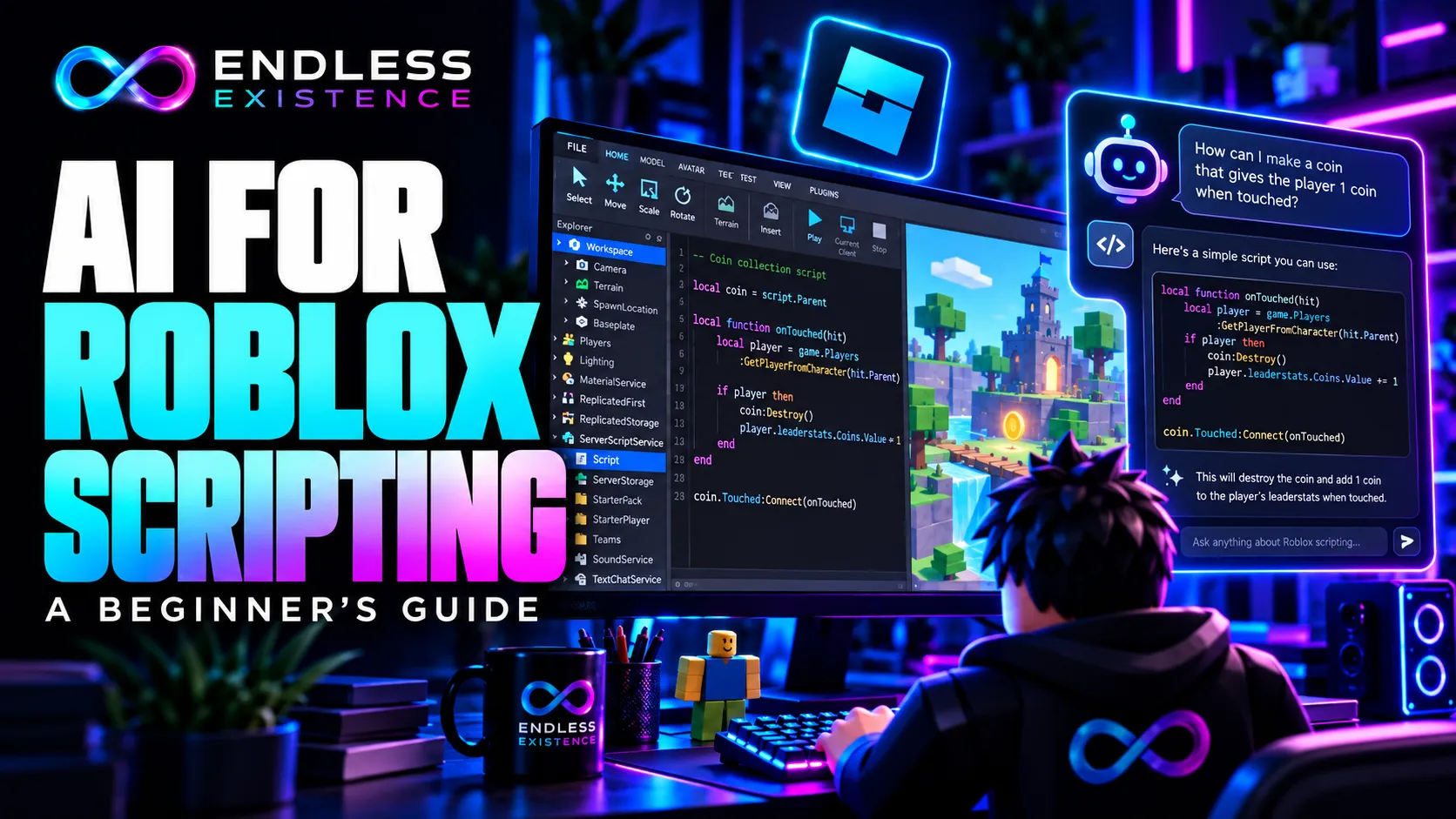
AI can help you write small Roblox scripts, understand errors, and learn unfamiliar programming concepts. The reliable workflow is to describe one task clearly, review the generated Luau code, and test its behavior in Roblox Studio.
AI-generated code is a draft. A convincing explanation does not prove that a script uses the right API, runs in the correct location, or handles multiplayer behavior safely.
This guide explains how to use AI for Roblox scripting while developing the skills needed to maintain your own game.
What Can AI Help You Do?
AI is most useful when the task has a clear scope and observable result.
| Task | Useful request |
|---|---|
| Explain code | “Explain this function and the purpose of each variable.” |
| Generate a small feature | “Make this interface button change its label when activated.” |
| Investigate an error | “Explain this Output error using the attached script.” |
| Improve readability | “Rename unclear variables without changing behavior.” |
| Plan a feature | “Break a checkpoint system into manageable development steps.” |
| Prepare testing | “List cases that could expose problems in this script.” |
A request such as “make my entire simulator” leaves too many decisions unspecified. Currency, progression, saving, purchases, interface behavior, and multiplayer rules all need separate requirements.
Start with one behavior you can explain and test.
Choose an AI Workflow That Fits Your Project
Roblox’s Built-In Assistant
Roblox Assistant works inside Studio and can reference project objects. Roblox’s documentation describes using it to create or modify objects and scripts, followed by playtesting and revision.
This makes it convenient for requests involving a specific object:
“Add a script to the selected platform that changes its color every three seconds.”
Before accepting a change, inspect what Assistant created. Check the script’s location, its object references, and whether it modifies anything outside the requested scope.
An External AI Assistant
An external chat assistant can help explain code, draft scripts, or investigate errors from information you provide.
Unless you have explicitly connected a tool that grants project access, do not assume it can see your Explorer hierarchy, Output messages, or existing scripts.
Provide that context yourself. Otherwise, the assistant may invent object names or assume a project structure that does not exist.
For beginners, there is no need to begin with a complicated agent setup. Studio, its Output window, official documentation, and a focused AI conversation are enough to start learning.
Learn Three Roblox Concepts Before Generating Scripts
You do not need to master Luau first, but you should understand where code runs and what it controls.
1. Roblox Uses Luau
Ask for Roblox Luau code rather than generic Lua code.
Your request should also identify the Roblox objects involved. A correct language choice does not help if the script expects a button or folder your project does not contain.
2. Script Type and Location Matter
Roblox documents that script execution depends on the script type, its location, and, for Script instances, its RunContext. A default server Script can run in server containers such as ServerScriptService or Workspace.
For common beginner workflows:
| Script type | Typical role | Example placement |
|---|---|---|
Script | Server gameplay logic | ServerScriptService |
LocalScript | Player input and interface behavior | Inside a GUI copied from StarterGui |
ModuleScript | Reusable code called by another script | A location accessible to its intended callers |
A ModuleScript does not automatically execute simply because you created it.
Always ask AI to specify the required script type and exact placement.
3. The Server Must Validate Important Actions
Interface changes can happen locally. Rewards, purchases, and shared gameplay state require server-side decisions.
Roblox requires validation of data sent from clients before the server uses it. Relevant checks include permissions, context, input structure, and request frequency.
For example, a player can request to buy an item. The server should determine its price, check the player’s balance, and decide whether the purchase is valid.
The client should not decide how much currency to award itself.
How to Write a Good Roblox AI Prompt
A strong prompt describes the intended behavior and the environment in which it must work.
Include these details:
| Detail | Example |
|---|---|
| Goal | Change a button’s text after activation |
| Object hierarchy | StarterGui > MainGui > StartButton |
| Script type | LocalScript |
| Placement | Inside StartButton |
| Behavior | Display “Ready!” and change the background to green |
| Scope | Interface feedback only |
| Restrictions | No remote events or additional scripts |
| Explanation | Explain the event and properties used |
| Verification | Provide manual test steps |
Weak Prompt
“Make a button script.”
This does not explain what the button does or where it exists.
Better Prompt
Write a beginner-friendly Roblox Luau LocalScript.

Project hierarchy:
StarterGui
  MainGui (ScreenGui)
    StartButton (TextButton)

Place the LocalScript inside StartButton.

When the button is activated:
- Change its text to "Ready!"
- Change its background color to green.

This is local interface feedback only.
Do not start a match, award currency, create remotes,
or modify other objects.

Explain the code and provide manual test steps.
Identify any assumptions.
Clear restrictions help prevent a small request from becoming an unnecessary system.
Practical Example: A Button That Changes Its Appearance
This example demonstrates a suitable first AI-assisted task. It has a small scope and a visible result.
Step 1: Create the Interface
In Studio:
- Add a
ScreenGuitoStarterGui. - Rename it
MainGui. - Add a
TextButtoninside it. - Rename the button
StartButton. - Set its initial text to
Start. - Add a
LocalScriptinside the button.
Step 2: Review the Draft
A minimal implementation is:
-- LocalScript inside StartButton

local button = script.Parent

button.Activated:Connect(function()
    button.Text = "Ready!"
    button.BackgroundColor3 = Color3.fromRGB(40, 180, 90)
end)
The script assumes its parent is the intended TextButton.
The variable button references that parent. The event connection runs the function when the button is activated. The function then changes two interface properties.
This only changes the local player’s interface. It does not establish a server-managed ready state for a multiplayer match.
Step 3: Test the Behavior
During a playtest, check that:
- The button is visible.
- Activating it changes the text.
- Its background becomes green.
- Repeated activation causes no unexpected behavior.
- Output contains no related errors.
This example has not been executed in Studio for this article. These are verification steps, not claimed test results.
Step 4: Extend One Requirement at a Time
A useful next request would be:
“Make the button toggle between Start and Ready. Keep the behavior local and explain how the state variable works.”
A server-managed lobby ready system would be a separate feature with different requirements.
Use AI to Debug With Evidence
“Your code doesn’t work” gives the assistant little information.
A useful debugging request includes:
- The exact error message.
- The current script.
- Its type and location.
- Relevant object names.
- What you did before the failure.
- Expected and observed behavior.
For example:
Expected:
Activating StartButton changes its text to "Ready!".

Observed:
The text does not change.

Script type:
LocalScript.

Location:
StarterGui > MainGui > StartButton > LocalScript.

Output error:
[Paste the exact error here.]

Current code:
[Paste the code here.]

Explain the likely cause using this evidence.
Suggest the smallest correction.
Do not rewrite unrelated parts of the project.
Ask for a specific correction and the reasoning behind it. Replacing the entire script repeatedly can hide the original problem and introduce new ones.
Review AI Code Before Running It
Review the draft against your requirements.
Check Object References
If the code expects Workspace.MainDoor, confirm that the object exists with that exact name and structure.
A script can be logically reasonable yet fail because its assumptions do not match your project.
Verify Unfamiliar APIs
Look up unfamiliar methods, properties, and events in Roblox Creator Hub.
Do not accept an API simply because AI gives it a plausible name. Also question claims that something is deprecated unless they are supported by current documentation.
Inspect Dependencies
If the draft uses require() with an unfamiliar numeric asset ID, determine what it loads and why it is needed.
For a small learning example, understandable code without unexplained external dependencies is easier to review.
Examine Client-Server Decisions
For features that affect progression or other players, ask:
- What does the client request?
- What does the server verify?
- Who determines prices and rewards?
- What prevents repeated requests?
- What happens when the action is no longer valid?
A request that reaches the server is not automatically legitimate.
Test Multiplayer Features With Multiple Clients
A successful solo test does not establish correct multiplayer behavior.
Roblox Studio provides a Server & Clients testing mode for running multiple client sessions against a simulated server. Its solo testing modes also distinguish client and server simulations.
For a shared door, test:
| Scenario | What to verify |
|---|---|
| One player opens it | Other players observe the intended shared state |
| Two players interact together | Transitions do not conflict |
| A player interacts repeatedly | Requests do not create unintended repeated actions |
| A player respawns | The feature handles the new character |
| The object is unavailable | The script handles the expected lifecycle |
Choose tests based on the feature. Multiplayer testing helps expose replication and state problems; it does not replace security review.
Build Larger Features in Separate Stages
When moving beyond a button, use AI to help define boundaries before writing code.
For a coin system, a manageable sequence might be:
- Create a session-only balance.
- Implement one collectible.
- Prevent unintended duplicate collection.
- Display the balance in the interface.
- Test with multiple players.
- Design persistence as a separate stage.
Saving adds failure handling and concurrency concerns. Combining it with collection, shops, and rewards in one prompt makes the result harder to understand.
Ask AI to explain the responsibilities of each component before generating the implementation.
Use AI to Learn, Not Only to Produce Code
After reviewing a script, ask questions such as:
- “Why does this function run?”
- “What state does this variable store?”
- “What happens when the player respawns?”
- “Which part runs on the server?”
- “What would fail if this object were missing?”
Then make one small change yourself.
Change a label, alter a delay, or add another state. Predict the result before testing it.
This turns generated code into a learning exercise and helps you determine whether you understand the feature well enough to maintain it.
Common Mistakes
| Mistake | Better approach |
|---|---|
| Asking AI to create an entire game at once | Define and implement one feature at a time |
| Omitting the Explorer hierarchy | Provide exact names and object types |
| Copying code without understanding placement | Confirm script type, location, and execution context |
| Treating plausible API names as facts | Check official documentation |
| Allowing clients to determine rewards | Keep important decisions and validation on the server |
| Testing shared behavior with one player | Use multi-client testing |
| Assuming “no errors” means correct behavior | Check the intended result and relevant edge cases |
| Accepting a full rewrite for every bug | Request the smallest evidence-based correction |
| Treating AI’s test claims as proof | Require observable test results |
Frequently Asked Questions
Can AI Make a Complete Roblox Game?
AI can assist with many individual tasks, and connected tools may perform broader project operations. That does not establish that the resulting game is complete, secure, maintainable, or enjoyable. Those qualities still require review and testing.
Do I Need to Learn Luau?
You should learn enough to understand the scripts you use. Begin with variables, functions, conditions, tables, events, and Roblox’s client-server model.
Which AI Tool Is Best for a Beginner?
Roblox’s built-in Assistant is a practical starting point because it operates inside Studio. An external assistant can also help when you provide clear project context. There is no universally best option for every task.
Is AI-Generated Code Safe to Publish?
It should be reviewed and tested like any other unfamiliar code. Its origin does not establish correctness or security.
What Should My First AI-Assisted Feature Be?
Choose a small, visible behavior such as a button changing its appearance. Once you can explain, modify, and test it, move to a feature with more state or interaction.