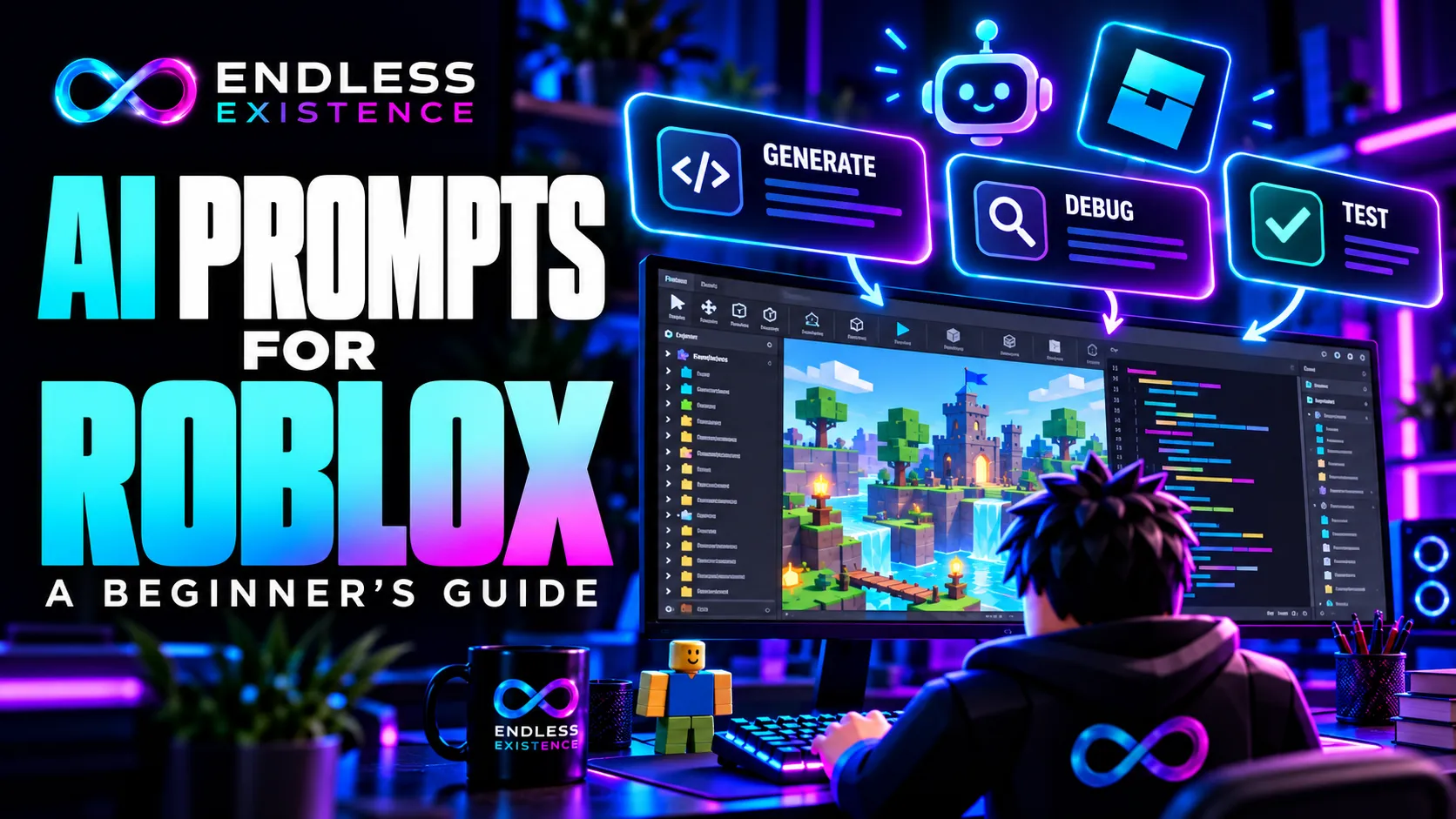
Good AI prompts for Roblox game development explain what you want to build, how your project is organized, and what the result must do. They also ask for explanations and test steps so you can check the answer before using it.
A vague request such as “make a Roblox game” leaves important decisions unspecified. A focused request for one feature gives you something smaller to understand, test, and improve.
This guide provides reusable prompts for game ideas, prototype planning, Luau scripting, debugging, interface design, code review, and testing. These templates are starting points, not a benchmark-tested ranking of prompts.
What Makes a Roblox AI Prompt Useful?
A useful prompt provides enough context for the assistant to work without inventing your project structure.
Include the following information where relevant:
| Information | What to provide |
|---|---|
| Goal | The behavior or deliverable you need |
| Project structure | Relevant Explorer objects, names, and classes |
| Execution context | Whether the behavior belongs on the client or server |
| Existing implementation | The current code and any dependencies |
| Constraints | What the assistant should preserve or avoid |
| Expected result | What should happen when the feature works |
| Verification | How you will check the proposed result |
Not every request needs every field. An idea-generation prompt needs your scope and skills; a debugging prompt needs the actual error and code.
A Reusable Prompt Structure
I am developing a Roblox experience using Luau.

Goal:
[Describe one specific task.]

Relevant project structure:
[List the relevant objects, classes, and locations.]

Existing code:
[Paste the code if applicable.]

Expected behavior:
[Describe the observable result.]

Constraints:
[State what must remain unchanged and what to avoid.]

Please:
1. Identify missing information or assumptions.
2. Explain the proposed approach.
3. Provide only the code or changes needed for this task.
4. Specify script types and exact placement.
5. Give manual verification steps.
6. Do not claim the result was tested unless you actually ran it.
Replace the bracketed instructions before submitting the prompt.
1. Prompts for Roblox Game Ideas
AI can help generate and compare concepts. It cannot establish that players will enjoy them or that a game will become popular.
Begin by defining what you can realistically build.
Prompt: Generate Ideas Within a Small Scope
Generate five Roblox game concepts for a beginner working alone.

My current skills:
- Basic Studio building.
- Variables, conditions, functions, and simple events in Luau.
- No experience with custom character rigs or advanced networking.

Project constraints:
- One small map.
- One central gameplay mechanic.
- Use basic parts for the first prototype.
- Avoid trading, persistent economies, and complex combat.
- Gameplay should be understandable without a long tutorial.

For each concept, provide:
1. A one-sentence gameplay hook.
2. The repeated player actions.
3. The smallest playable prototype.
4. A possible reason to replay.
5. The hardest implementation requirement.
6. One question that playtesting should answer.

Do not claim the ideas are unique or guaranteed to become popular.
How to Evaluate the Answer
Choose a concept whose main mechanic you understand and can test.
If an idea requires complicated physics, procedural generation, and advanced NPC behavior, it may not fit the stated scope—even if the assistant labels it “easy.”
The strongest first project is usually one you can finish and learn from.
2. Prompts for Prototype Planning
Before asking AI to generate scripts, ask it to separate the project into manageable tasks.
Prompt: Break a Concept Into Development Steps
Help me plan a minimal Roblox prototype.

Concept:
Players must reach a highlighted safe zone before a hazard activates.

First-version requirements:
- One arena.
- A short round countdown.
- One hazard pattern.
- Clear success and failure feedback.
- A way to start another round.

Do not include:
- Shops.
- Persistent saving.
- Pets.
- Trading.
- Additional game modes.

Provide:
1. A sequence of development tasks.
2. The purpose of each task.
3. Which tasks depend on earlier tasks.
4. A suggested Explorer structure.
5. Client and server responsibilities.
6. An observable completion check for each task.

Flag design decisions that still need my input.
Do not generate the implementation yet.
Why This Helps
A plan exposes dependencies before they become code problems.
For example, the interface needs information about round state. Planning where that state lives makes the later scripting request more precise.
Review the proposed structure before adopting it. An AI-generated plan is still a recommendation.
3. Prompts for Small Luau Scripts
Small scripts provide a useful starting point because their behavior is easy to observe.
Always specify the relevant object classes and script placement.
Roblox documents that script execution depends on script type, location, and, for Script instances, RunContext. Placement is part of the implementation rather than a minor setup detail.
Prompt: Create a Local Interface Interaction
Write a beginner-friendly Roblox Luau LocalScript.

Explorer structure:
StarterGui
  MainGui (ScreenGui)
    StartButton (TextButton)
      LocalScript

Required behavior:
- The button initially displays "Start".
- Activating it changes the text to "Ready!".
- Activating it again changes the text back to "Start".

Scope:
This is local interface feedback only.
It does not start a multiplayer match or change server state.

Constraints:
- Do not create RemoteEvents.
- Do not add other scripts.
- Do not use external modules.
- Keep the implementation short and readable.

Explain:
1. How the button reference is obtained.
2. How the state is stored.
3. How the activation event changes the state.

Provide manual test steps.
What to Check
Confirm that the parent really is a TextButton. Test repeated activation and inspect Output.
If you later want a multiplayer ready system, write a new specification. A local button state does not establish whether the server considers the player ready.
4. Prompts for Understanding Existing Code
AI is useful for explaining a script you already have. Ask it to distinguish what is visible in the code from what depends on another component.
Prompt: Explain a Script Without Rewriting It
Explain the following Roblox Luau script for a beginner.

Script type and location:
[Provide these.]

Code:
[Paste the script.]

Please explain:
1. The overall purpose.
2. Each variable and the state it represents.
3. Which events trigger behavior.
4. The order of operations.
5. Whether the code runs on the client or server.
6. Its dependencies on other objects or scripts.
7. Assumptions that cannot be confirmed from this snippet.

Do not rewrite the script yet.
Use plain language and explain unfamiliar terms.
Turn the Explanation Into Practice
After reading the answer, predict what one small change would do.
For example:
- What happens if a delay increases?
- What happens if an object is renamed?
- What happens if the function runs twice?
- What happens when a player respawns?
Make one controlled change, then test your prediction.
5. Prompts for Debugging Roblox Errors
A debugging prompt needs evidence. Include the exact Output message rather than summarizing it from memory.
Prompt: Diagnose an Error With Minimal Changes
Help me debug a Roblox Luau script.

Expected behavior:
[Describe what should happen.]

Actual behavior:
[Describe what happens instead.]

Steps to reproduce:
1. [First step.]
2. [Second step.]
3. [Step that exposes the problem.]

Exact Output error:
[Paste the complete error.]

Script type and location:
[Provide these.]

Relevant Explorer structure:
[Provide object names and classes.]

Current code:
[Paste the code.]

Please:
1. Explain what the error means.
2. Identify the likely cause using the supplied evidence.
3. Distinguish confirmed facts from possible causes.
4. Suggest the smallest correction.
5. Explain why it addresses the problem.
6. Give a test that could confirm the diagnosis.

Do not rewrite unrelated systems.
If information is missing, identify exactly what is needed.
Avoid Replacing Everything
A complete rewrite may make the original error disappear while introducing other problems.
Requesting a narrow correction makes the reasoning easier to evaluate and the change easier to reverse.
6. Prompts for Roblox UI Planning
A UI prompt should describe what players need to see and do. Asking only for “a professional UI” encourages decorative suggestions without clear priorities.
Prompt: Plan an Interface for a Small Game
Plan a simple Roblox interface for a round-based survival prototype.

Players need to see:
- Whether a round is waiting, active, or finished.
- The remaining round time.
- Whether they survived.
- How to play another round.

Target inputs:
Touchscreen and keyboard/mouse.

Requirements:
- Keep the central play area visible.
- Use readable text and clear feedback.
- Do not communicate important information through color alone.
- Avoid decorative elements that do not support player decisions.

Provide:
1. A proposed layout.
2. A suggested GUI hierarchy.
3. The purpose of each element.
4. Behavior across different screen sizes.
5. The source of each displayed value.
6. Manual checks for readability and interaction.

Do not invent a universal pixel size that fits every device.
Do not generate scripts yet.
What to Verify
Test the proposed layout with different screen sizes. Check whether text is readable, controls are reachable, and interface elements cover important gameplay.
A written layout proposal is not proof that the actual interface works.
7. Prompts for Client-Server Design
Features involving currency, rewards, damage, or shared state need a clear division of responsibilities.
Roblox’s security guidance requires the server to validate client-supplied data before using it. Relevant validation includes context, permissions, types, and request frequency.
Prompt: Plan a Server-Validated Purchase
Help me design a Roblox shop purchase flow.

Player interaction:
The player selects an item in a local interface.

Server-owned information:
- Item prices.
- Player currency.
- Item ownership.

Requirements:
- The client requests an item by identifier.
- The server determines the price.
- The server checks whether the purchase is allowed.
- Repeated requests must not create unintended duplicate purchases.
- Invalid item identifiers must be rejected.

For this stage, purchases are session-only.
Do not add DataStore saving yet.

Provide:
1. Client responsibilities.
2. Server responsibilities.
3. Required communication objects.
4. Validation checks.
5. Failure responses.
6. Important tests.

Explain the design before generating code.
Do not let the client choose its balance or the purchase price.
Why Plan Before Coding?
A request can contain valid data types and still represent an invalid action.
For example, a player may request an item they already own or make the same request repeatedly. The server needs rules for these cases.
8. Prompts for Code Review
A code review should identify specific defects and assumptions. A general statement such as “looks good” provides little evidence.
Prompt: Review Code Against Its Requirements
Review this Roblox Luau implementation.

Intended behavior:
[Describe the feature.]

Script types and locations:
[List them.]

Relevant object structure:
[Provide it.]

Code:
[Paste the relevant scripts.]

Review for:
- Incorrect API usage.
- Missing dependencies.
- Client-server responsibility errors.
- Unvalidated client requests.
- Duplicate event connections.
- State errors during repeated use.
- Player respawn or departure behavior.
- Unnecessary complexity.

For each finding, provide:
1. The relevant code or behavior.
2. The triggering condition.
3. The consequence.
4. A proposed correction.
5. A verification step.

Separate defects from optional style improvements.
State what cannot be assessed from the supplied code.
Do not claim testing was performed.
Evaluate the Findings
Check whether each criticism follows from the code and requirements.
AI can produce false positives, misunderstand lifecycle behavior, or recommend unnecessary changes. Verify consequential API claims against Roblox Creator Hub.
9. Prompts for Testing
Ask for tests before assuming a working first attempt is enough.
Roblox Studio supports separate client and server views during solo playtesting, along with multi-client simulation through Server & Clients mode.
Prompt: Create a Manual Test Plan
Create a manual test plan for this Roblox feature.

Feature:
[Describe the implementation.]

Expected behavior:
[List the important requirements.]

Known constraints:
[List what this version does not support.]

Include relevant cases for:
- Normal use.
- Repeated activation.
- Two players acting at the same time.
- Player respawn.
- Player departure.
- Missing or unavailable objects.
- Invalid requests, if client-server communication is involved.
- Different input methods, if applicable.

For each test, provide:
1. Setup.
2. Actions.
3. Expected result.
4. Evidence to inspect.
5. Whether solo or multi-client testing is needed.

Do not include irrelevant cases merely to lengthen the plan.
Record Results Separately
A generated test plan lists intended checks. It does not establish that those checks passed.
Record what you actually observed, including failures and unresolved cases.
10. Prompts for Refactoring
Refactoring changes code structure while preserving intended behavior. State that boundary explicitly.
Prompt: Improve Readability Without Adding Features
Refactor this Roblox Luau script for readability.

Current intended behavior:
[Describe it.]

Code:
[Paste the script.]

Constraints:
- Preserve existing behavior.
- Preserve public function names used by other scripts.
- Do not add dependencies.
- Do not move client behavior to the server or vice versa.
- Do not add new features.

Please:
1. Identify the readability problems.
2. Propose a small set of changes.
3. Explain any possible behavior differences.
4. Provide the revised code.
5. List checks that would detect an unintended regression.

If a change requires more project context, explain that before applying it.
Keep Changes Reviewable
Avoid combining a readability cleanup with a new saving system, interface redesign, and networking rewrite.
Smaller changes make it easier to identify what caused a regression.
How to Follow Up When an Answer Misses the Target
Describe the mismatch directly.
Instead of:
“Wrong. Try again.”
Use:
Your answer assumes a Part named MainDoor, but my project
contains a Model named MainDoor with a Part named DoorPanel.

Revise only the object references and explain whether this
difference affects the movement approach.

Preserve the other requirements.
Or:
The proposed solution gives all players one shared cooldown.
The requirement is a separate cooldown for each player.

Explain the state change needed and revise only that section.
Specific feedback narrows the correction and reduces unnecessary changes.
A Beginner Workflow for Using These Prompts
- Define one feature and its expected behavior.
- Ask for a plan if the feature has multiple components.
- Supply the relevant hierarchy and existing code.
- Request a small implementation.
- Read the explanation and check assumptions.
- Verify unfamiliar APIs.
- Test in Studio.
- Share exact evidence when debugging.
- Save a working version before extending it.
The prompt is one part of the workflow. Review and testing determine whether the answer is useful.
Common Prompting Mistakes
| Mistake | Better approach |
|---|---|
| Asking for an entire game in one request | Specify one feature or planning task |
| Omitting object classes and locations | Include the relevant Explorer hierarchy |
| Requesting “production-ready” code without requirements | Define behavior, failure cases, and constraints |
| Asking AI to fix an error without the message | Provide exact Output text and current code |
| Assuming the assistant can see the project | State what access it has and provide missing context |
| Accepting “secure” or “tested” as proof | Request concrete findings and observable evidence |
| Repeating a prompt without explaining the mismatch | Describe the incorrect assumption |
| Using a long template for a simple question | Include only relevant context |
Frequently Asked Questions
Can These Prompts Be Used With Roblox Assistant?
They can be adapted for Assistant or an external chat tool. Roblox Assistant can reference and modify project content inside Studio, while an external assistant needs supplied context unless a connection gives it access.
Does a Longer Prompt Produce Better Code?
Not necessarily. Relevant detail matters more than length. Clear requirements and an accurate object hierarchy are more useful than repeated requests for perfect code.
Can AI Generate Roblox Scripts Without Programming Knowledge?
It can generate drafts, but you need enough understanding to place, review, test, and maintain them. Start with small examples and learn the concepts they use.
Should I Ask for Explanations Every Time?
For unfamiliar code, explanations help you understand assumptions and responsibilities. Once you understand a routine task, you can request a shorter answer while retaining verification steps.
What Is the Best First Prompt?
Ask for one visible, reversible behavior—such as a button toggling its label—and specify the exact hierarchy. Understand and test it before moving to features that affect multiple players or persistent data.